Store Systems in Mockarty
Table of Contents
- Store Systems Overview
- Mock Store (MStore)
- Chain Store (CStore)
- Global Store (GStore)
- Store Management API
- Usage Examples
- Best Practices
Tip: Code examples are available for cURL, CLI, and SDK clients (Go, Python, Java). See the SDK Guide for installation and setup. See the CLI User Guide for the command-line tool.
About URLs in examples: All examples use
localhost:5770as the default Mockarty address. If your instance runs on a remote server, replacelocalhost:5770with its actual address (e.g.https://mockarty.company.comorhttp://192.168.1.50:5770). See Tips & Useful Features for details.
Store Systems Overview
Key Concepts for Beginners
Before diving into Store systems, here are a few key terms:
- Mock – a simulated API endpoint that returns predefined responses instead of calling a real service.
- Namespace – a logical grouping of mocks (like a folder). Mocks in different namespaces are isolated from each other.
- Chain – a sequence of related mocks that share state. For example, “create order” -> “pay for order” -> “ship order” form a chain.
- Extract – the process of pulling data from a request (or generating data) and saving it into a store for later use.
- JsonPath – a query language (like
$.mS.userId) used to reference stored values in mock responses.
File templates in the UI
Open the Templates tab on the Storages page to upload, preview, download, edit or delete a file in the selected namespace. A failed list read shows an error and Retry; filtering does not replace it with an empty list. Closing a preview or opening another file prevents a late response from replacing the current file. Text editing is temporarily unavailable while saving. Switching namespace closes the preview and retires pending deletion confirmations. An upload or save already sent may still complete: check the list before repeating it after a connection problem.
When to Use Which Store
Not sure which store to pick? Use this simple decision guide:
- Mock Store (mS) – Use when you need temporary data within a single mock call. Example: generate a UUID and use it in multiple places in the same response. Data disappears after the request is processed.
- Chain Store (cS) – Use when you need to share data between related mocks that form a workflow. Example: a user registration flow where the registration mock saves a userId, and the profile mock reads it. Data persists across calls within the same chain.
- Global Store (gS) – Use when you need shared state across all mocks in a namespace. Example: request counters, feature flags, or system configuration. Data persists indefinitely until explicitly cleared.
Store Concept
Store is a data storage system in Mockarty that allows you to:
- Save data between mock invocations
- Share data between related mocks
- Accumulate state for complex scenarios
- Create dynamic responses based on accumulated data using JsonPath and Faker
Store Architecture
graph TB
    subgraph "Store Hierarchy"
        MSTORE["Mock Store (mS)"]
        CSTORE["Chain Store (cS)"]
        GSTORE["Global Store (gS)"]
    end

    subgraph "Scope"
        MOCK_SCOPE["Single Mock"]
        CHAIN_SCOPE["Chain of Mocks"]
        GLOBAL_SCOPE["All Mocks in Namespace"]
    end

    subgraph "Persistence"
        SESSION["Ephemeral (request only)"]
        PERMANENT["Persistent (database)"]
        NAMESPACE_ISOLATED["Persistent + Namespace Isolated"]
    end

    MSTORE --> MOCK_SCOPE
    CSTORE --> CHAIN_SCOPE
    GSTORE --> GLOBAL_SCOPE

    MSTORE --> SESSION
    CSTORE --> PERMANENT
    GSTORE --> NAMESPACE_ISOLATED

    classDef store fill:#4a90d9,stroke:#2c5f8a,color:#fff
    classDef scope fill:#8e6fbf,stroke:#5e4590,color:#fff
    classDef persistence fill:#5aad6e,stroke:#3a7d4e,color:#fff

    class MSTORE,CSTORE,GSTORE store
    class MOCK_SCOPE,CHAIN_SCOPE,GLOBAL_SCOPE scope
    class SESSION,PERMANENT,NAMESPACE_ISOLATED persistence
Store Type Comparison
| Store Type | Scope | Lifetime | Namespace | JsonPath Access |
|---|---|---|---|---|
| MStore | Local mock | During mock processing | N/A | $.mS.key |
| CStore | All mocks in Chain | Permanent | Yes | $.cS.key |
| GStore | All mocks in Namespace | Permanent | Yes | $.gS.key |
Store Management UI
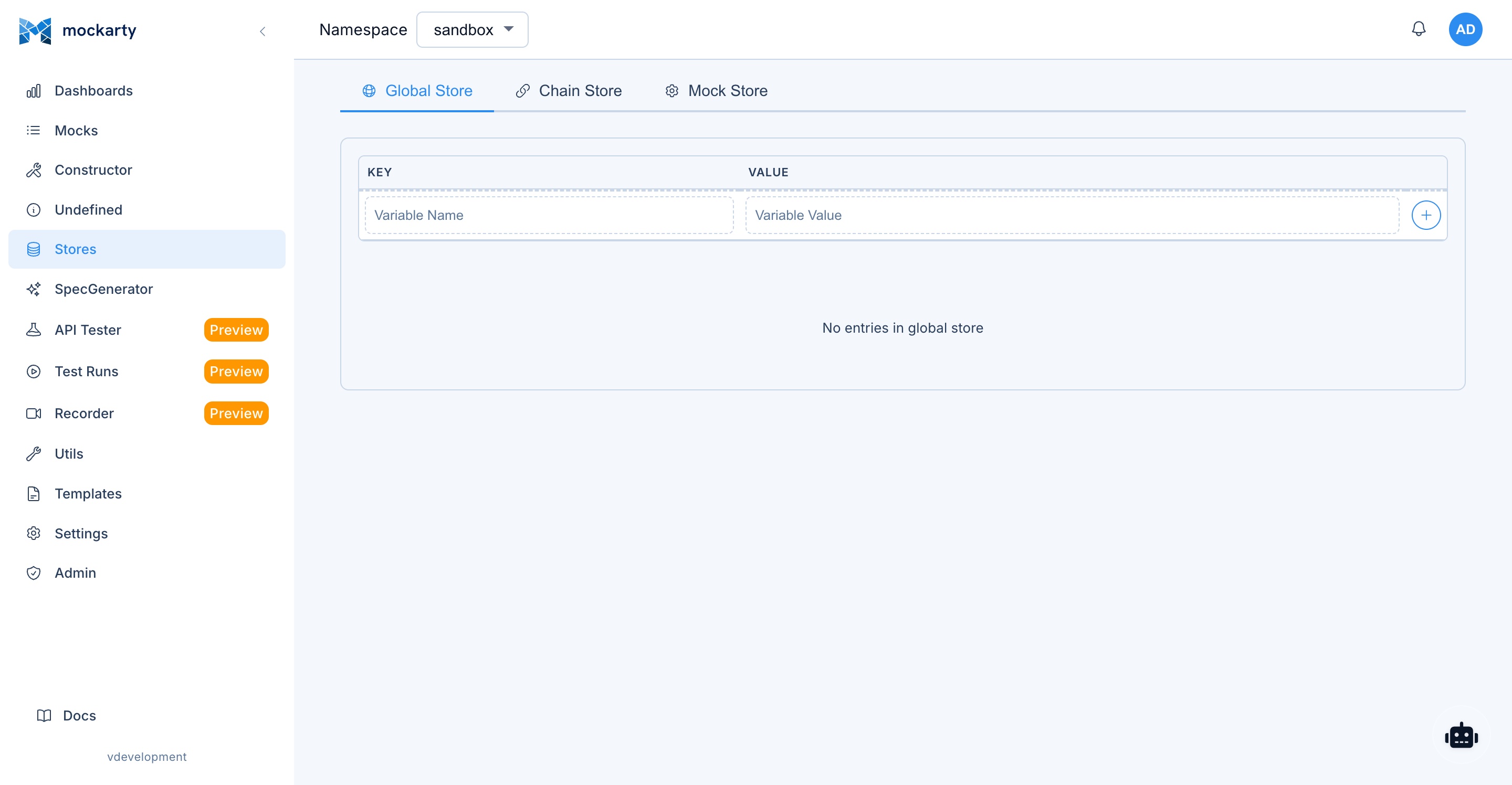
The Stores page in the Mockarty web UI provides a visual interface for viewing and managing all three store types. Use the tabs at the top to switch between Global Store, Chain Store, and Mock Store.
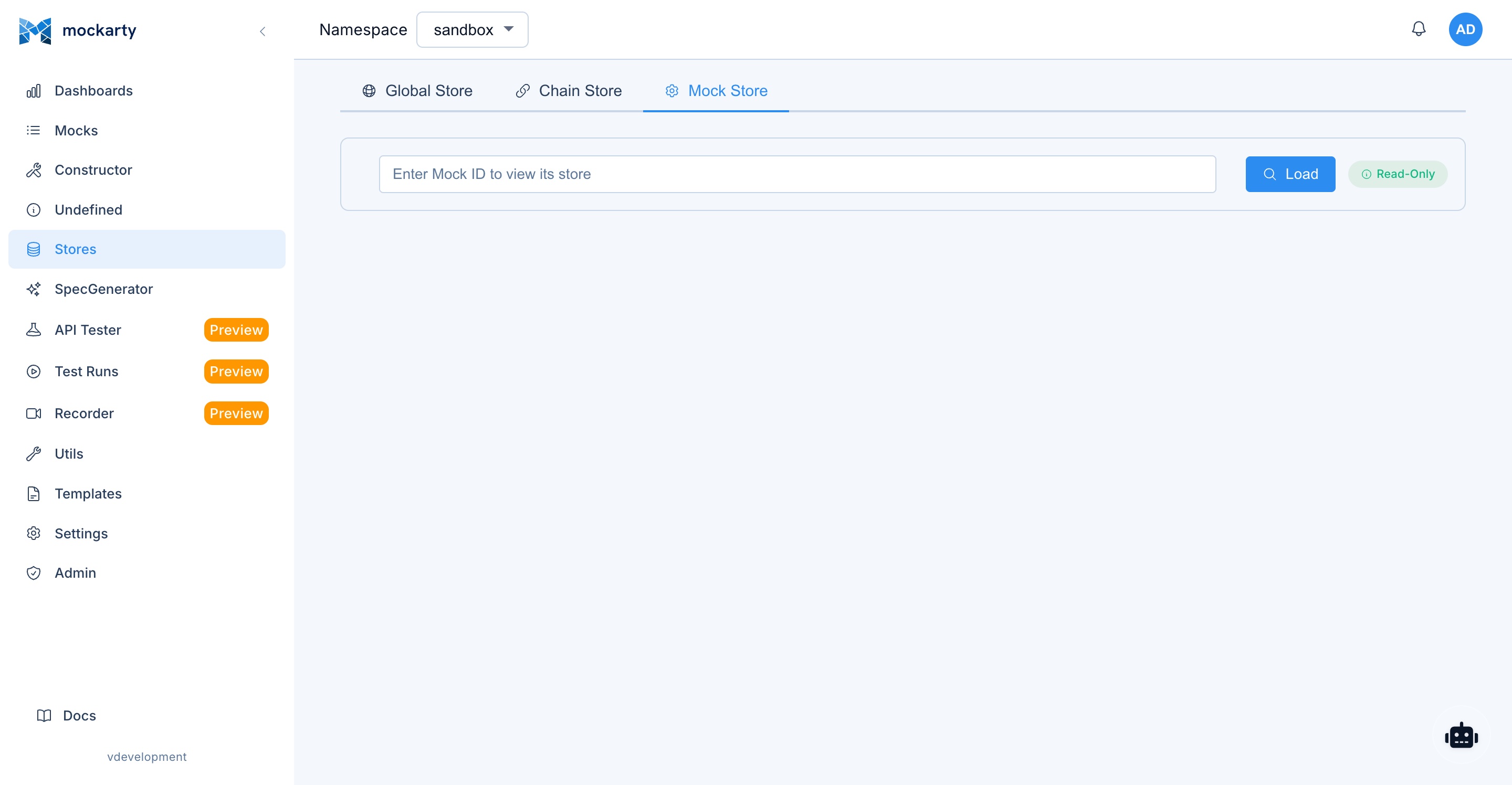
On the Mock Store tab, use Select mock to search by a readable name. The picker lists active mocks in the current namespace; archived mocks are excluded, and its empty message explains this.
Note: Store writes from extract operations are performed asynchronously. Values may not be immediately available in the very next request if they arrive simultaneously.
Mock Store (MStore)
What is Mock Store?
Mock Store (MStore) is a local data storage for a specific mock, available only during the processing of that mock.
Features:
- Isolation – data is accessible only within a specific mock
- Ephemeral – data exists only during request processing
- Fast – stored in mock memory
- Simple – does not require namespace or chainId management
Using MStore
Extracting to MStore
{
  "id": "user-create",
  "http": {
    "route": "/api/users",
    "httpMethod": "POST"
  },
  "response": {
    "payload": {
      "id": "$.mS.generatedId",
      "name": "$.req.name",
      "email": "$.req.email",
      "clientIP": "$.mS.clientIP",
      "userAgent": "$.mS.userAgent"
    }
  },
  "extract": {
    "mStore": {
      "generatedId": "$.fake.UUIDDigit",
      "requestTime": "$.fake.RFC3339",
      "clientIP": "$.reqHeader['X-Forwarded-For'][0]",
      "userAgent": "$.reqHeader['User-Agent'][0]",
      "requestCount": "$.increment($.gS.requestCount || 0)"
    }
  }
}
Accessing MStore in the Response
{
  "response": {
    "payload": {
      "userId": "$.mS.generatedId",
      "processedAt": "$.mS.requestTime",
      "metadata": {
        "clientIP": "$.mS.clientIP",
        "userAgent": "$.mS.userAgent",
        "requestCount": "$.mS.requestCount"
      }
    }
  }
}
Typical MStore Use Cases
-
Generating related IDs:
"extract": { "mStore": { "userId": "$.fake.UUIDDigit", "profileId": "$.fake.UUIDDigit", "sessionId": "$.fake.UUID" } } -
Processing request metadata:
"extract": { "mStore": { "timestamp": "$.fake.RFC3339", "requestId": "$.fake.UUID", "traceId": "$.reqHeader['X-Trace-ID'][0]" } } -
Math computations:
"extract": {
  "mStore": {
    "basePrice": "$.req.price",
    "tax": "$.multiply($.req.price, 0.2)",
    "totalPrice": "$.sum($.req.price, $.mS.tax)"
  }
}
Chain Store (CStore)
What is Chain Store?
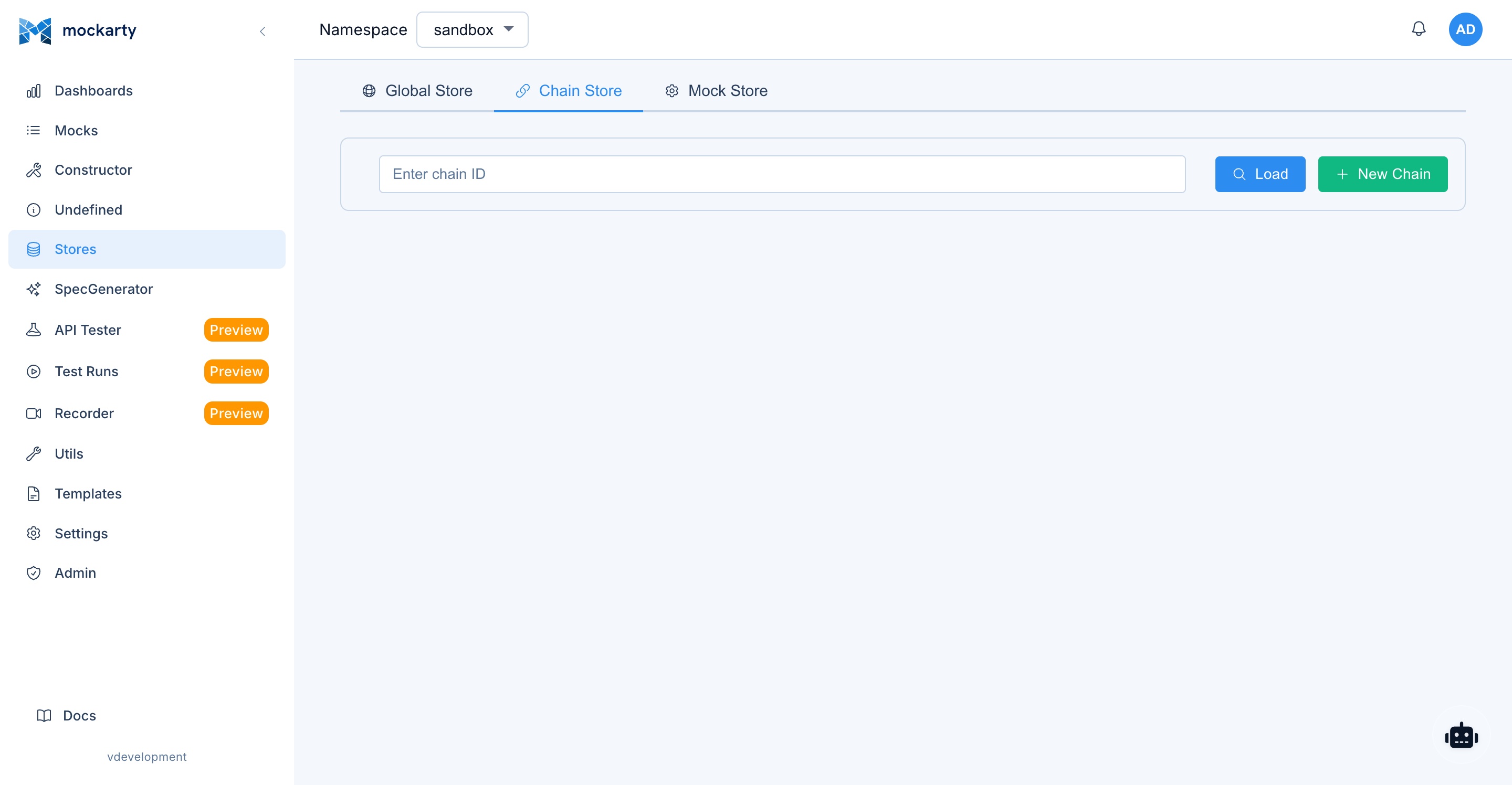
Chain Store (CStore) is a shared data storage across all mocks with the same chainId within a single namespace.
Features:
- Shared – data is accessible to all mocks in the chain
- Persistent – data is preserved between invocations
- Namespace isolation – data is isolated by namespace
- Accumulation – data accumulates as the chain progresses
CStore Lifecycle
sequenceDiagram
    participant M1 as Mock 1
    participant CS as Chain Store
    participant M2 as Mock 2
    participant M3 as Mock 3

    M1->>CS: Extract data (step 1)
    CS-->>M1: Store updated

    M2->>CS: Read data from step 1
    CS-->>M2: Return step 1 data
    M2->>CS: Extract additional data (step 2)
    CS-->>M2: Store updated

    M3->>CS: Read data from steps 1 & 2
    CS-->>M3: Return accumulated data
    M3->>CS: Extract final data (step 3)
    CS-->>M3: Store updated (complete)
Using CStore
Initial Mock in the Chain
{
  "id": "order-start",
  "chainId": "order-processing",
  "namespace": "e-commerce",
  "http": {
    "route": "/api/orders/create",
    "httpMethod": "POST"
  },
  "response": {
    "payload": {
      "orderId": "$.fake.UUIDDigit",
      "status": "created",
      "items": "$.req.items"
    }
  },
  "extract": {
    "cStore": {
      "orderId": "$.fake.UUIDDigit",
      "customerId": "$.req.customerId",
      "items": "$.req.items",
      "totalAmount": "$.req.totalAmount",
      "createdAt": "$.fake.RFC3339",
      "currentStep": "created"
    }
  }
}
Intermediate Mock in the Chain
{
  "id": "order-payment",
  "chainId": "order-processing",
  "namespace": "e-commerce",
  "http": {
    "route": "/api/orders/payment",
    "httpMethod": "POST"
  },
  "response": {
    "payload": {
      "orderId": "$.cS.orderId",
      "customerId": "$.cS.customerId",
      "amount": "$.cS.totalAmount",
      "paymentId": "$.fake.UUIDDigit",
      "status": "paid"
    }
  },
  "extract": {
    "cStore": {
      "paymentId": "$.fake.UUIDDigit",
      "paidAt": "$.fake.RFC3339",
      "paymentMethod": "$.req.paymentMethod",
      "currentStep": "paid"
    }
  }
}
Final Mock in the Chain
{
  "id": "order-fulfill",
  "chainId": "order-processing",
  "namespace": "e-commerce",
  "http": {
    "route": "/api/orders/fulfill",
    "httpMethod": "POST"
  },
  "response": {
    "payload": {
      "orderId": "$.cS.orderId",
      "customerId": "$.cS.customerId",
      "paymentId": "$.cS.paymentId",
      "trackingNumber": "$.fake.ZipCode",
      "estimatedDelivery": "$.fake.Date",
      "orderSummary": {
        "items": "$.cS.items",
        "totalAmount": "$.cS.totalAmount",
        "createdAt": "$.cS.createdAt",
        "paidAt": "$.cS.paidAt",
        "fulfilledAt": "$.fake.RFC3339"
      }
    }
  },
  "extract": {
    "cStore": {
      "trackingNumber": "$.fake.ZipCode",
      "fulfilledAt": "$.fake.RFC3339",
      "currentStep": "fulfilled",
      "isComplete": true
    }
  }
}
Chain Store API
Finding a chain
The Chain ID fields (the Stores page, “Create mocks” from undefined requests, a temporal probe’s store scope) suggest the chains of your namespace as you type — every chain used by a mock or holding store keys, with how many mocks share it and how many keys it holds. The same list over the API:
GET /api/v1/stores/chains?namespace=e-commerce&q=order
{"items":[{"chainId":"order-processing","mockCount":3,"storeKeys":5}]}
Retrieving Chain Store Data
GET /api/v1/stores/chain/{chainId}?namespace=e-commerce
Adding Data to Chain Store
Each request adds a single key-value pair. To add multiple entries, make separate requests for each key.
POST /api/v1/stores/chain/order-processing
Content-Type: application/json

{
  "key": "manualStep",
  "value": "admin-review",
  "namespace": "e-commerce"
}
Deleting Data from Chain Store
Delete a single key by specifying it in the URL path:
DELETE /api/v1/stores/chain/order-processing/temporaryData?namespace=e-commerce
Global Store (GStore)
What is Global Store?
Global Store (GStore) is a global data storage accessible to all mocks within a single namespace.
Features:
- Global – data is accessible to all mocks in the namespace
- Persistent – data is preserved across all invocations
- Namespace isolation – data is isolated by namespace
- Accumulation – ideal for counters and statistics
Using GStore
Counters and Statistics
{
  "id": "api-request-counter",
  "namespace": "monitoring",
  "http": {
    "route": "/api/*"
  },
  "response": {
    "payload": {
      "requestId": "$.fake.UUID",
      "timestamp": "$.fake.RFC3339",
      "stats": {
        "totalRequests": "$.increment($.gS.totalRequests || 0)",
        "todayRequests": "$.increment($.gS.todayRequests || 0)",
        "uniqueUsers": "$.gS.uniqueUsers"
      }
    }
  },
  "extract": {
    "gStore": {
      "totalRequests": "$.increment($.gS.totalRequests || 0)",
      "todayRequests": "$.increment($.gS.todayRequests || 0)",
      "lastRequestAt": "$.fake.RFC3339",
      "lastUserID": "$.reqHeader['X-User-ID'][0]"
    }
  }
}
System Configuration
{
  "id": "system-config",
  "namespace": "system",
  "http": {
    "route": "/api/config"
  },
  "response": {
    "payload": {
      "config": {
        "version": "$.gS.systemVersion",
        "maintenanceMode": "$.gS.maintenanceMode",
        "features": "$.gS.enabledFeatures",
        "lastUpdated": "$.gS.configLastUpdated"
      }
    }
  },
  "extract": {
    "gStore": {
      "configAccessed": "$.increment($.gS.configAccessed || 0)",
      "lastConfigAccess": "$.fake.RFC3339"
    }
  }
}
Global State
{
  "id": "feature-toggle",
  "namespace": "features",
  "http": {
    "route": "/api/features/status"
  },
  "response": {
    "payload": {
      "feature": "$.req.featureName",
      "enabled": "$.gS.features.newDashboard.enabled",
      "config": "$.gS.features.newDashboard.config",
      "rolloutPercentage": "$.gS.features.newDashboard.rollout"
    }
  },
  "extract": {
    "gStore": {
      "featureAccessCount": "$.increment($.gS.featureAccessCount || 0)",
      "lastFeatureAccess": "$.fake.RFC3339"
    }
  }
}
Global Store API
Retrieving Global Store Data
GET /api/v1/stores/global?namespace=monitoring
Adding Data to Global Store
Each request adds a single key-value pair. To add multiple entries, make separate requests for each key.
POST /api/v1/stores/global
Content-Type: application/json

{
  "key": "systemVersion",
  "value": "1.2.3",
  "namespace": "monitoring"
}
Deleting Data from Global Store
Delete a single key by specifying it in the URL path:
DELETE /api/v1/stores/global/oldConfig?namespace=monitoring
Store Management API
Full API Reference
For the complete API documentation, see the API Reference.
Global Store Endpoints
| Method | Endpoint | Description |
|---|---|---|
| GET | /api/v1/stores/global |
Get Global Store |
| POST | /api/v1/stores/global |
Add a key-value pair to Global Store |
| DELETE | /api/v1/stores/global/{key} |
Delete a key from Global Store |
Query Parameters:
namespace(optional) – namespace (default: “sandbox”)
POST Body: {"key": "...", "value": "...", "namespace": "..."}
Chain Store Endpoints
| Method | Endpoint | Description |
|---|---|---|
| GET | /api/v1/stores/chain/{chainId} |
Get Chain Store |
| GET | /api/v1/stores/chains |
List the namespace’s chains (q filters by id) |
| POST | /api/v1/stores/chain/{chainId} |
Add a key-value pair to Chain Store |
| DELETE | /api/v1/stores/chain/{chainId}/{key} |
Delete a key from Chain Store |
Path Parameters:
chainId– chain IDkey– key to delete (for DELETE only)
Query Parameters:
namespace(optional) – namespace (default: “sandbox”)
POST Body: {"key": "...", "value": "...", "namespace": "..."}
API Call Examples
Adding to Global Store
Each API call adds a single key-value pair. Make multiple calls to set multiple keys.
cURL
# Add a key-value pair to Global Store
curl -X POST http://localhost:5770/api/v1/stores/global \
  -H "Content-Type: application/json" \
  -d '{"key": "appVersion", "value": "1.0.0", "namespace": "testing"}'

# Add another key
curl -X POST http://localhost:5770/api/v1/stores/global \
  -H "Content-Type: application/json" \
  -d '{"key": "environment", "value": "testing", "namespace": "testing"}'
CLI
mockarty-cli store global set --namespace testing appVersion "1.0.0"
mockarty-cli store global set --namespace testing environment "testing"
Go
import mockarty "github.com/mockarty/mockarty-go"

client := mockarty.NewClient("http://localhost:5770", "YOUR_TOKEN")

// Namespace is configured on the client (mockarty.WithNamespace("testing"))
err := client.Stores().GlobalSet(ctx, "appVersion", "1.0.0")
err = client.Stores().GlobalSet(ctx, "environment", "testing")
Python
from mockarty import MockartyClient

client = MockartyClient("http://localhost:5770", token="YOUR_TOKEN")

# Namespace is configured on the client (MockartyClient(..., namespace="testing"))
client.stores.global_set(key="appVersion", value="1.0.0")
client.stores.global_set(key="environment", value="testing")
Java
import ru.mockarty.MockartyClient;

MockartyClient client = new MockartyClient("http://localhost:5770", "YOUR_TOKEN");

client.stores().globalSet("testing", "appVersion", "1.0.0");
client.stores().globalSet("testing", "environment", "testing");
Adding to Chain Store
cURL
curl -X POST http://localhost:5770/api/v1/stores/chain/user-journey \
  -H "Content-Type: application/json" \
  -d '{"key": "journeyStarted", "value": "true", "namespace": "testing"}'

curl -X POST http://localhost:5770/api/v1/stores/chain/user-journey \
  -H "Content-Type: application/json" \
  -d '{"key": "startTime", "value": "2024-01-01T10:00:00Z", "namespace": "testing"}'
CLI
mockarty-cli store chain set --namespace testing user-journey journeyStarted "true"
mockarty-cli store chain set --namespace testing user-journey startTime "2024-01-01T10:00:00Z"
Go
err := client.Stores().ChainSet(ctx, "user-journey", "journeyStarted", "true")
err = client.Stores().ChainSet(ctx, "user-journey", "startTime", "2024-01-01T10:00:00Z")
Python
client.stores.chain_set(chain_id="user-journey", key="journeyStarted", value="true")
client.stores.chain_set(chain_id="user-journey", key="startTime", value="2024-01-01T10:00:00Z")
Java
client.stores().chainSet("user-journey", "testing", "journeyStarted", "true");
client.stores().chainSet("user-journey", "testing", "startTime", "2024-01-01T10:00:00Z");
Deleting Store Data
Delete one key at a time by specifying it in the URL path.
cURL
# Delete a key from Global Store
curl -X DELETE http://localhost:5770/api/v1/stores/global/tempData?namespace=testing

# Delete a key from Chain Store
curl -X DELETE http://localhost:5770/api/v1/stores/chain/user-journey/debugData?namespace=testing
CLI
# Delete a key from Global Store
mockarty-cli store global delete --namespace testing tempData

# Delete a key from Chain Store
mockarty-cli store chain delete --namespace testing user-journey debugData
Go
// Delete a key from Global Store
err := client.Stores().GlobalDelete(ctx, "tempData")

// Delete a key from Chain Store
err = client.Stores().ChainDelete(ctx, "user-journey", "debugData")
Python
# Delete a key from Global Store
client.stores.global_delete(key="tempData")

# Delete a key from Chain Store
client.stores.chain_delete(chain_id="user-journey", key="debugData")
Java
// Delete a key from Global Store
client.stores().globalDelete("testing", "tempData");

// Delete a key from Chain Store
client.stores().chainDelete("user-journey", "testing", "debugData");
Usage Examples
The sections above already show basic patterns for each store type – counters, configuration, and chain workflows. The examples below demonstrate more advanced scenarios that combine multiple store types or show cross-store interaction.
Complex Chain Scenarios
Multi-step Workflow
{
  "id": "workflow-step-1",
  "chainId": "approval-workflow",
  "namespace": "workflows",
  "http": {
    "route": "/api/workflow/submit",
    "httpMethod": "POST"
  },
  "response": {
    "payload": {
      "workflowId": "$.fake.UUIDDigit",
      "status": "submitted",
      "submittedBy": "$.req.userId",
      "nextStep": "manager-review"
    }
  },
  "extract": {
    "cStore": {
      "workflowId": "$.fake.UUIDDigit",
      "submittedBy": "$.req.userId",
      "submittedAt": "$.fake.RFC3339",
      "currentStep": "submitted",
      "steps": ["submitted"],
      "approvalChain": ["manager", "director", "ceo"]
    },
    "gStore": {
      "totalWorkflows": "$.increment($.gS.totalWorkflows || 0)"
    }
  }
}
{
  "id": "workflow-step-2",
  "chainId": "approval-workflow",
  "namespace": "workflows",
  "http": {
    "route": "/api/workflow/approve",
    "httpMethod": "POST"
  },
  "response": {
    "payload": {
      "workflowId": "$.cS.workflowId",
      "approvedBy": "$.req.approverId",
      "currentStep": "manager-approved",
      "nextStep": "director-review",
      "progress": {
        "submittedBy": "$.cS.submittedBy",
        "submittedAt": "$.cS.submittedAt",
        "percentage": 33
      }
    }
  },
  "extract": {
    "cStore": {
      "managerApprovedBy": "$.req.approverId",
      "managerApprovedAt": "$.fake.RFC3339",
      "currentStep": "manager-approved"
    }
  }
}
Experiment Tracking with Stores
Tracking Experiment Assignments
{
  "id": "experiment-tracker",
  "namespace": "experiments",
  "http": {
    "route": "/api/experiment/assign",
    "httpMethod": "POST"
  },
  "response": {
    "payload": {
      "userId": "$.req.userId",
      "experiment": "new-checkout-flow",
      "variant": "$.req.variant",
      "assignedAt": "$.fake.RFC3339",
      "totalAssignments": "$.gS.totalAssignments"
    }
  },
  "extract": {
    "gStore": {
      "totalAssignments": "$.increment($.gS.totalAssignments || 0)",
      "lastAssignedUser": "$.req.userId",
      "lastAssignedVariant": "$.req.variant",
      "lastAssignedAt": "$.fake.RFC3339"
    }
  }
}
Best Practices
Recommendations
-
Use the right Store type for the task:
- MStore – for temporary computations within a mock
- CStore – for passing data between scenario steps
- GStore – for global counters and configuration
-
Structure data in Stores:
"extract": { "gStore": { "users": { "total": "$.increment($.gS.users.total || 0)", "active": "$.gS.users.active || 0", "lastRegistered": "$.fake.RFC3339" }, "stats": { "requests": "$.increment($.gS.stats.requests || 0)", "errors": "$.gS.stats.errors || 0" } } } -
Use meaningful keys:
Good – descriptive key name that explains what is being counted:
"userRegistrationCount": "$.increment($.gS.userRegistrationCount || 0)"Bad – generic key name that does not convey meaning:
"count": "$.increment($.gS.count || 0)" -
Initialize default values:
With default (recommended) – uses
|| 0to start from zero if key does not exist:"totalUsers": "$.increment($.gS.totalUsers || 0)"Without default (risky) – may fail if the key has not been set yet:
"totalUsers": "$.increment($.gS.totalUsers)" -
Group related data:
"extract": {
  "cStore": {
    "order": {
      "id": "$.fake.UUIDDigit",
      "createdAt": "$.fake.RFC3339",
      "status": "created"
    },
    "customer": {
      "id": "$.req.customerId",
      "email": "$.req.email"
    }
  }
}
Things to Avoid
- Do not store sensitive data in Stores (passwords, tokens)
- Do not create overly deep nesting (more than 3 levels)
- Do not forget about namespace isolation
- Do not use Stores for simple static responses
- Do not overload Stores with large data objects
Data Management
Cleaning Up Stale Data
{
  "id": "cleanup-stores",
  "namespace": "maintenance",
  "http": {
    "route": "/api/maintenance/cleanup"
  },
  "extract": {
    "gStore": {
      "tempData": null,
      "debugInfo": null,
      "lastCleanup": "$.fake.RFC3339",
      "cleanupCount": "$.increment($.gS.cleanupCount || 0)"
    }
  }
}
Archiving Data
{
  "id": "archive-data",
  "extract": {
    "gStore": {
      "archived": {
        "data": "$.gS.currentData",
        "archivedAt": "$.fake.RFC3339"
      },
      "currentData": null
    }
  }
}
Use Store systems to create powerful dynamic scenarios with state preservation!
See Also
- JsonPath Guide – query language for accessing and manipulating Store data
- Faker Reference – generate random data to populate Stores
- API Reference – complete REST API for Store management endpoints
- Web UI Guide – manage Stores visually through the web interface
- Webhooks & Callbacks – use Store data in webhook payloads