JsonPath Guide for Mockarty
Table of Contents
- What is JsonPath
- Basic Syntax
- Usage Examples
- Data Extraction
- Variables in Responses
- Store Access
- Faker Integration
- Advanced Examples
Tip: Code examples are available for cURL, CLI, and SDK clients (Go, Python, Java). See the SDK Guide for installation and setup. See the CLI User Guide for the command-line tool.
About URLs in examples: All examples use
localhost:5770as the default Mockarty address. If your instance runs on a remote server, replacelocalhost:5770with its actual address (e.g.https://mockarty.company.comorhttp://192.168.1.50:5770). See Tips & Useful Features for details.
What is JsonPath
JsonPath is a query language for JSON documents, similar to XPath for XML. Think of it as an “address” system for data inside JSON – just like a street address helps you find a house in a city, a JsonPath expression helps you find a specific value inside a JSON document.
For example, if you have a JSON object {"user": {"name": "John"}}, the expression $.user.name points directly to "John". The $ symbol means “start at the root of the document”, and dots navigate deeper into nested objects.
When would you use it? Whenever you need your mock to be dynamic rather than static. For instance, if a client sends a request with a user ID, you can use JsonPath to extract that ID and include it in the response – making the mock behave like a real service.
In Mockarty, JsonPath is used for:
- Extracting data from incoming requests
- Accessing Store data (Global, Chain, Mock)
- Generating dynamic responses with variables using Faker
- Evaluating conditions for mock matching
Choose the right place for an expression
| Your goal | Put the expression here | Example |
|---|---|---|
| Read a field from the current request | A response field or an extract rule |
$.req.email |
| Reuse request data on a later call | extract.cStore or extract.gStore, then a response field |
Save $.req.email; later read $.cS.email |
| Generate a value or calculate a result | A response field | $.fake.FirstName, $.sum($.req.price, 10) |
extract reads paths from the incoming request. Faker and math functions belong in response templates. Store writes may complete after the current response, so read a newly saved value on a later request.
Basic Syntax
Basic Expressions
| Expression | Description | Example |
|---|---|---|
$ |
Document root | $.user |
. |
Current node | $.user.name |
[] |
Index/key access | $.items[0], $.user['name'] |
* |
All elements | $.users[*].name |
.. |
Recursive search | $..email |
?() |
Filter | $.items[?(@.price > 100)] |
Tip: The dot after
$is optional –$req.fieldis automatically normalized to$.req.field.
Mockarty Special Prefixes
| Prefix | Description | Example |
|---|---|---|
$.req |
Request body | $.req.userId |
$.reqHeader |
Request headers | $.reqHeader.Authorization[0] |
$.queryParams |
HTTP query parameters | $.queryParams.limit |
$.mS |
Mock Store | $.mS.savedValue |
$.cS |
Chain Store | $.cS.sessionId |
$.gS |
Global Store | $.gS.counter |
$.pathParam |
URL path parameters | $.pathParam.id for route /api/users/:id |
$.fake |
Faker data | $.fake.FirstName |
$.response |
Response data (for webhook) | $.response.orderId |
$.namespace |
Current namespace | $.namespace |
Math Functions
| Function | Description | Example |
|---|---|---|
$.increment(expr || default) |
Increment value by 1 | $.increment($.gS.counter || 0) |
$.sum(expr1, expr2) |
Sum of two values | $.sum($.req.price, $.req.tax) |
$.multiply(expr1, expr2) |
Multiply two values | $.multiply($.req.quantity, $.req.price) |
$.subtract(expr1, expr2) |
Subtraction (expr1 - expr2) | $.subtract($.req.total, $.req.discount) |
$.divide(expr1, expr2) |
Division (expr1 / expr2; a zero divisor yields 0) | $.divide($.req.total, $.req.count) |
$.modulo(expr1, expr2) |
Remainder of expr1 / expr2 | $.modulo($.req.index, 2) |
$.length(expr) |
Size of the value: element count for an array, key count for an object, rune count for a string | $.length($.req.items) |
Arguments can be:
- Numeric literals:
$.sum(10, 20) - JsonPath expressions:
$.sum($.req.a, $.req.b) - Store references:
$.sum($.gS.total, $.req.amount) - Expressions with default:
$.increment($.gS.counter || 0)– if the value is missing,0is used
String Functions
Transform a single value produced by any inner expression (request field, faker, store, or another string function).
| Function | Description | Example |
|---|---|---|
$.upper(expr) |
Uppercase the value | $.upper($.req.code) |
$.lower(expr) |
Lowercase the value | $.lower($.fake.Email) |
$.trim(expr) |
Strip leading/trailing whitespace | $.trim($.req.name) |
$.replace(expr, old, new) |
Replace all occurrences of old with new |
$.replace($.req.phone, "-", "") |
$.substring(expr, start[, end]) |
Slice by character index (end optional) |
$.substring($.req.code, 0, 4) |
$.default(expr, fallback) |
Use fallback when the first value is empty |
$.default($.req.name, "guest") |
$.base64encode(expr) |
Encode the value as standard base64 | $.base64encode($.req.creds) |
$.base64decode(expr) |
Decode standard base64 (invalid input passes through) | $.base64decode($.req.token) |
$.urlencode(expr) |
URL-encode (query escaping) | $.urlencode($.req.q) |
$.urldecode(expr) |
URL-decode (query unescaping) | $.urldecode($.req.q) |
- Every function returns a string, so they nest freely:
$.upper($.trim($.req.code)). - Literal arguments go in quotes (
"..."or'...'); anything starting with$.is resolved first, so you can pass request fields, faker, or store values as arguments. - If an expression resolves to nothing, the result is an empty string (which is exactly what
$.defaultchecks for). $.substringcounts characters, not bytes, and clamps out-of-range indices, so it never errors on a short value.
Time Function
$.now(...) returns the current time, with an optional relative offset and output format. Unlike the $.fake date fields (which are random), $.now is the real “now” — ideal for token expiry, created/updatedAt timestamps, or a date a fixed distance from today.
| Form | Result |
|---|---|
$.now() |
Current time, RFC3339 (UTC), e.g. 2026-07-25T14:30:45Z |
$.now(30d) |
Now + 30 days, RFC3339 |
$.now(-1h) |
Now − 1 hour, RFC3339 |
$.now(0, date) |
Today as 2026-07-25 |
$.now(7d, unix) |
(now + 7 days) as epoch seconds |
$.now(0, "15:04") |
Now with a custom Go layout |
- Offset units:
s(seconds),m(minutes),h(hours),d(days),w(weeks); combine them (1d12h) and prefix-to go back in time. Omit or0for exactly now. - Format presets:
rfc3339(default),rfc3339nano,date,datetime,time,unix,unixmilli. Any other value is treated as a raw Go reference layout (e.g.2006-01-02).
Usage Examples
Simple Extraction
JSON document:
{
  "user": {
    "id": 123,
    "name": "John Doe",
    "email": "john@example.com"
  }
}
JsonPath expressions:
$.user.id        // → 123
$.user.name      // → "John Doe"
$.user.email     // → "john@example.com"
$['user']['id']  // → 123 (alternative syntax)
Working with Arrays
JSON document:
{
  "users": [
    {"id": 1, "name": "John", "active": true},
    {"id": 2, "name": "Jane", "active": false},
    {"id": 3, "name": "Bob", "active": true}
  ]
}
JsonPath expressions:
$.users[0]             // → {"id": 1, "name": "John", "active": true}
$.users[0].name        // → "John"
$.users[-1]            // → {"id": 3, "name": "Bob", "active": true} (last element)
$.users[*].name        // → ["John", "Jane", "Bob"]
$.users[*].id          // → [1, 2, 3]
Filtering
// Active users
$.users[?(@.active == true)]
// → [{"id": 1, "name": "John", "active": true}, {"id": 3, "name": "Bob", "active": true}]

// Names of active users
$.users[?(@.active == true)].name
// → ["John", "Bob"]

// Users with ID greater than 1
$.users[?(@.id > 1)]

// Users with name containing "J"
$.users[?(@.name =~ /.*J.*/i)]
Recursive Search
JSON document:
{
  "company": {
    "departments": [
      {
        "name": "IT",
        "employees": [
          {"name": "John", "email": "john@company.com"},
          {"name": "Jane", "email": "jane@company.com"}
        ]
      },
      {
        "name": "HR",
        "head": {"name": "Bob", "email": "bob@company.com"}
      }
    ]
  }
}
JsonPath expressions:
$..email    // → ["john@company.com", "jane@company.com", "bob@company.com"]
$..name     // → ["IT", "John", "Jane", "HR", "Bob"]
Data Extraction
Extracting from Request
HTTP request:
POST /api/users
{
  "user": {
    "name": "John Doe",
    "email": "john@example.com",
    "preferences": {
      "theme": "dark",
      "notifications": true
    }
  }
}
Extraction in Mock:
{
  "extract": {
    "mStore": {
      "userName": "$.req.user.name",
      "userEmail": "$.req.user.email",
      "userTheme": "$.req.user.preferences.theme"
    },
    "gStore": {
      "lastUserName": "$.req.user.name"
    }
  }
}
Extracting Headers
HTTP request:
POST /api/data
Authorization: Bearer abc123token
Content-Type: application/json
X-User-ID: user-456
Extraction:
{
  "extract": {
    "mStore": {
      "authToken": "$.headers.Authorization",
      "contentType": "$.headers['Content-Type']"
    }
  }
}
In an extract rule, use $.headers. A single-valued header is a string; a header with multiple values is an array, so add [0] when you need its first value. Response templates use the separate $.reqHeader prefix shown above.
Extracting Query Parameters
For query strings (?limit=10&offset=20) use $.queryParams:
Request: GET /api/users?limit=10&offset=20&sort=name
{
  "response": {
    "payload": {
      "limit": "$.queryParams.limit",
      "offset": "$.queryParams.offset",
      "sort": "$.queryParams.sort"
    }
  }
}
You can use query parameters in conditions:
{
  "conditions": [
    {
      "queryParam": "status",
      "assertAction": "equals",
      "value": "active"
    }
  ]
}
Complex Conditions
{
  "conditions": [
    {
      "path": "$.order.items[*].price",
      "assertAction": "contains",
      "value": 100
    },
    {
      "path": "$.order.items[?(@.category == 'electronics')].price",
      "assertAction": "matches",
      "value": "^[1-9]\\d{2,}$"
    }
  ]
}
Condition operators (assertAction)
| Operator | Matches when the value… | value |
|---|---|---|
equals |
equals value |
the expected value |
not_equals |
does not equal value |
the value to exclude |
contains |
contains value (substring / array element); for a number or boolean — equals it exactly, 100 never contains 10 |
the substring or element |
not_contains |
does not contain value (for a number or boolean — is not equal to it) |
the substring or element |
starts_with |
begins with value |
the prefix |
ends_with |
ends with value |
the suffix |
is_number |
is a valid number (integer or decimal) | — (ignored) |
num_digits |
is all digits and exactly value of them |
the digit count, e.g. 6 for a one-time code |
one_of |
equals one of a list | a list ["open","closed"] or a comma-separated string "open, closed" |
matches |
matches the value regular expression |
the regex pattern |
notEmpty / empty |
is non-empty / empty | — (ignored) |
any |
always matches (presence check) | — (ignored) |
The starts_with, ends_with, is_number, num_digits and one_of operators
cover the common cases without writing a regular expression — for example, a
6-digit verification code:
{
  "conditions": [
    { "path": "$.otp", "assertAction": "num_digits", "value": 6 }
  ]
}
Variables in Responses
Using Extracted Data
{
  "response": {
    "statusCode": 201,
    "payload": {
      "id": "$.fake.UUIDDigit",
      "name": "$.req.user.name",
      "email": "$.req.user.email",
      "welcomeMessage": "Hello $.req.user.name!",
      "timestamp": "$.fake.RFC3339",
      "preferences": "$.req.user.preferences"
    }
  }
}
Combining Values
{
  "response": {
    "payload": {
      "fullName": "$.req.firstName $.req.lastName",
      "displayName": "Mr. $.req.lastName",
      "loginUrl": "https://example.com/login?user=$.req.userId"
    }
  }
}
Store Access
For a complete guide on Store systems, see the Store Systems documentation.
Global Store
Use extract.gStore to save a field from the incoming request. For example, if a request body contains {"userId":"u-42"}:
{
  "extract": {
    "gStore": {"lastActiveUser": "$.req.userId"}
  }
}
A later mock in the same namespace can read the saved value:
{
  "response": {
    "payload": {"lastActiveUser": "$.gS.lastActiveUser"}
  }
}
Chain Store
Use the same chainId for mocks that share chain data. The first mock saves values from its request and echoes the current request directly:
{
  "chainId": "user-registration",
  "extract": {
    "cStore": {
      "userId": "$.req.userId",
      "email": "$.req.email"
    }
  },
  "response": {
    "payload": {"userId": "$.req.userId", "status": "registered"}
  }
}
A later mock in that chain reads the saved values:
{
  "chainId": "user-registration",
  "response": {
    "payload": {"userId": "$.cS.userId", "email": "$.cS.email"}
  }
}
For Store scope and lifecycle, see Store Systems.
Faker Integration
For a complete list of all available Faker functions, see the Faker Reference.
Basic Faker Functions
{
  "response": {
    "payload": {
      "id": "$.fake.UUID",
      "name": "$.fake.FirstName",
      "lastName": "$.fake.LastName",
      "email": "$.fake.Email",
      "phone": "$.fake.Phone",
      "address": "$.fake.Address",
      "city": "$.fake.City",
      "country": "$.fake.Country",
      "company": "$.fake.Company",
      "jobTitle": "$.fake.JobTitle",
      "website": "$.fake.URL",
      "avatar": "$.fake.URL",
      "birthDate": "$.fake.Date",
      "timestamp": "$.fake.RFC3339",
      "unixTime": "$.fake.UnixTime"
    }
  }
}
Numeric Faker Functions
{
  "response": {
    "payload": {
      "randomInt": "$.fake.Int",
      "positiveInt": "$.fake.PositiveInt",
      "negativeInt": "$.fake.NegativeInt",
      "float": "$.fake.Float",
      "price": "$.fake.Price",
      "latitude": "$.fake.Latitude",
      "longitude": "$.fake.Longitude",
      "boolean": "$.fake.Bool"
    }
  }
}
Localized Data
{
  "response": {
    "payload": {
      "russianName": "$.fake.RussianFirstNameMale",
      "russianSurname": "$.fake.RussianLastNameMale",
      "chineseName": "$.fake.FirstName",
      "germanName": "$.fake.FirstName",
      "sentence": "$.fake.Sentence",
      "paragraph": "$.fake.Paragraph",
      "word": "$.fake.Word"
    }
  }
}
Math Operations
Detailed Examples
Counter with Increment
Put the increment in the response template. $.increment updates the Global Store counter and returns the new value:
{
  "http": {"route": "/api/counter", "httpMethod": "GET"},
  "response": {
    "payload": {"visits": "$.increment($.gS.visitCount || 0)"}
  }
}
The first call returns 1; each later call advances the counter once. The || 0 default applies when the key does not yet exist. Use the expression only once per response if you want one increment per call.
Summation and Multiplication
{
  "response": {
    "payload": {
      "subtotal": "$.req.price",
      "tax": "$.multiply($.req.price, 0.2)",
      "total": "$.sum($.req.price, $.multiply($.req.price, 0.2))",
      "discount": "$.subtract($.req.price, 10)"
    }
  }
}
Important: Math functions work with numeric values. Strings are automatically converted to numbers. If conversion is not possible, the value 0 is used.
String Interpolation
JsonPath expressions can be embedded directly into text strings:
{
  "response": {
    "payload": {
      "greeting": "Hello $.req.name, welcome!",
      "link": "https://example.com/users/$.req.id/profile",
      "message": "Order #$.fake.UUIDDigit confirmed for $.req.email"
    }
  }
}
All $.xxx expressions within strings are automatically replaced with their corresponding values.
Advanced Examples
These recipes show one idea at a time. Add only the fields your client actually needs.
Dynamic Counter
For a request counter, use the Counter with Increment example. Its single $.increment(...) expression updates the stored count and returns the new value.
User Management Chain
For a two-step flow, use the Chain Store example: save userId and email from the first request with extract.cStore, then read them in a later response with $.cS.userId and $.cS.email. Generate a new value in a response only when it does not need to match a separately stored value.
E-commerce Order Processing
For a request body such as {"orderId":"o-17","quantity":2,"unitPrice":10}, this mock echoes the ID and calculates a total. It also saves the request ID for later mocks:
{
  "id": "process-order",
  "http": {"route": "/api/orders", "httpMethod": "POST"},
  "response": {
    "payload": {
      "orderId": "$.req.orderId",
      "total": "$.multiply($.req.quantity, $.req.unitPrice)"
    }
  },
  "extract": {
    "gStore": {"lastOrderId": "$.req.orderId"}
  }
}
Analytics Mock
A later request can use the saved order ID. $.now() adds the time when that response is generated:
{
  "id": "analytics-report",
  "http": {"route": "/api/analytics/report", "httpMethod": "GET"},
  "response": {
    "payload": {
      "lastOrderId": "$.gS.lastOrderId",
      "generatedAt": "$.now()"
    }
  }
}
Utilities for Working with JsonPath
Testing JsonPath
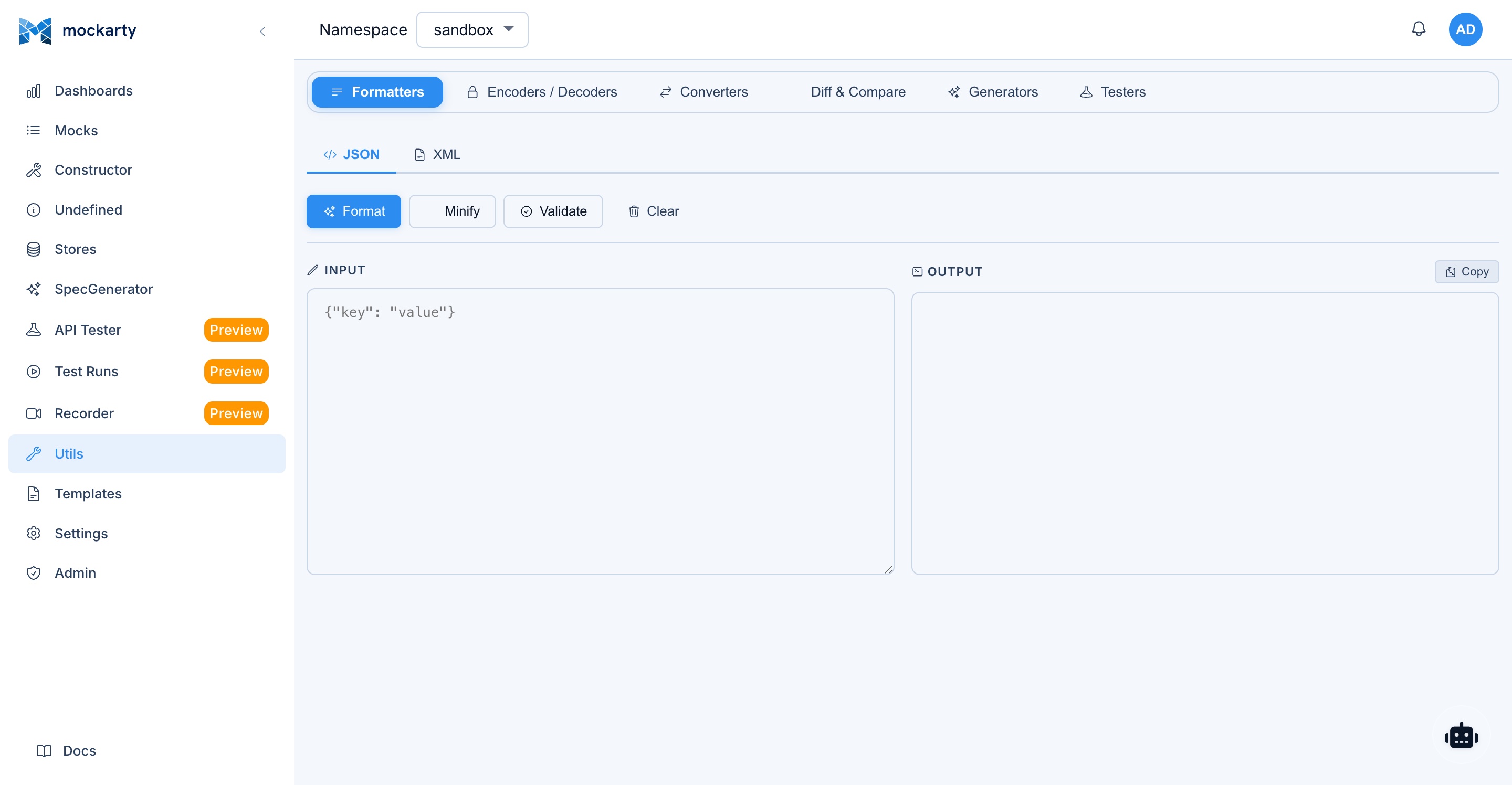
Mockarty lets you test JsonPath expressions against arbitrary JSON without creating a mock — in the admin UI at Utils → Testers → JsonPath, or over REST. Both evaluate the expression with the same extractor your mocks use, so a result you see here is what a mock condition or a $.-interpolation will produce.
In the UI: type the expression, paste the JSON document, and the result appears as you type. An unparseable document, an invalid expression, or an expression that matches nothing each say so directly above the field.
Endpoint: POST /api/v1/utils/extract-jpath
Request body:
| Field | Type | Description |
|---|---|---|
jpath |
string | JsonPath expression to evaluate |
from |
object | JSON document to evaluate the expression against |
cURL example:
curl -X POST http://localhost:5770/api/v1/utils/extract-jpath \
  -H "Content-Type: application/json" \
  -H "Authorization: Bearer $MOCKARTY_API_TOKEN" \
  -d '{
    "jpath": "$.users[*].email",
    "from": {
      "users": [
        {"name": "John", "email": "john@example.com"},
        {"name": "Jane", "email": "jane@example.com"}
      ]
    }
  }'
Response:
{
  "extract": ["john@example.com", "jane@example.com"]
}
The endpoint is intentionally SDK-agnostic — it’s a debugging helper, not part of the automation surface. SDKs (Go/Python/Java) and the CLI do not expose a dedicated wrapper; use a plain HTTP POST from your language of choice, or Utils → Testers → JsonPath in the admin UI.
Debugging Expressions
Example debug mock:
{
  "id": "debug-jsonpath",
  "http": {
    "route": "/debug/jsonpath"
  },
  "response": {
    "payload": {
      "request": "$.req",
      "headers": "$.reqHeader",
      "mockStore": "$.mS",
      "chainStore": "$.cS",
      "globalStore": "$.gS",
      "fakeData": {
        "uuid": "$.fake.UUID",
        "name": "$.fake.FirstName",
        "email": "$.fake.Email"
      }
    }
  }
}
Known Limitations
When using JsonPath expressions embedded in JSON string values (not as the entire field value), these limitations apply due to the regex-based interpolation engine:
| Feature | Standalone value | Embedded in string |
|---|---|---|
Simple paths $.req.user.id |
Works | Works |
Array index $.req.items[0] |
Works | Works |
Negative index $.req.items[-1] |
Works | Does NOT work |
Wildcard $.req.items[*].name |
Works | Does NOT work |
Recursive descent $..email |
Works | Does NOT work |
Filter $.items[?(@.price>100)] |
Works | Does NOT work |
Fallback || syntax only works inside math function arguments:
- Works:
$.increment($.gS.counter || 0) - Does NOT work as standalone:
$.req.userId || "default"
Unresolved expressions produce an error string like "Error: JSONPath '$.req.missing' not found" in both JSON and XML responses. This applies to standalone $.xxx values and to $.xxx expressions embedded in strings. Use the || default syntax inside math functions (e.g., $.increment($.gS.counter || 0)) to handle missing values gracefully.
Recursion depth is limited to 15 levels of nested JSON objects.
Best Practices
-
Use meaningful names in Store:
"extract": { "cStore": { "userId": "$.req.id", "userEmail": "$.req.email", "sessionStartTime": "$.fake.RFC3339" } } -
Use
||fallback in math functions to handle missing values:$.increment($.gS.counter || 0) $.sum($.gS.price || 0, $.req.tax)Note: The
||fallback syntax only works inside math function arguments ($.increment,$.sum,$.multiply,$.subtract). It does NOT work as a standalone expression like$.req.user.id || "default-id". -
Use filters for complex logic:
$.orders[?(@.status == 'completed' && @.amount > 100)] -
Combine static and dynamic data:
{
  "message": "Hello $.req.name! Your order #$.fake.UUIDDigit is confirmed",
  "timestamp": "$.fake.RFC3339"
}
XML Support
JsonPath expressions also work inside XML responses (SOAP mocks):
{
  "response": {
    "payload": "<GetUserResponse><UserId>$.req.id</UserId><Name>$.fake.FirstName</Name><Email>$.fake.Email</Email></GetUserResponse>"
  }
}
Mockarty automatically escapes XML special characters (<, >, &, ", ') when substituting values into XML strings. It also normalizes whitespace in namespaces and attributes.
Go Template Mode
In addition to JsonPath, Mockarty supports Go Template syntax for file templates. Load a template from a file using the templateFile field:
{
  "response": {
    "templateFile": "my-template.json"
  }
}
Available functions inside Go Template:
| Function | Description | Example |
|---|---|---|
req |
Request data (zero-arg, returns request object) | {{(req).user.name}} |
reqHeader |
Header data (zero-arg, returns headers map) | {{index (reqHeader) "Authorization"}} |
fake |
Faker data (zero-arg, returns faker object) | {{(fake).FirstName}} |
mS |
Mock Store (zero-arg, returns store map) | {{index (mS) "key"}} |
cS |
Chain Store (zero-arg, returns store map) | {{index (cS) "key"}} |
gS |
Global Store (zero-arg, returns store map) | {{index (gS) "key"}} |
asJson |
Convert to JSON | {{asJson .Request}} |
Important: Go Template and JsonPath are two different modes. JsonPath works in
payloadfields (JSON), Go Template works intemplateFile.
Use this guide to create powerful dynamic mocks with JsonPath!
See Also
- Faker Reference – all available Faker functions for generating test data
- Store Systems – Global, Chain, and Mock stores for stateful mocks
- API Reference – complete REST API including the JsonPath test endpoint
- Web UI Guide – visual mock constructor with JsonPath support
- Quick Start – get started with your first dynamic mock