Server Generator Guide
Contents
- Overview
- Installation
- Prerequisites
- Quick Start: End-to-End Example
- How requests are answered
- Operating Modes
- Common CLI Flags
- OpenAPI Generator
- gRPC Generator
- MCP Generator
- GraphQL Generator
- SOAP Generator
- Kafka Generator
- RabbitMQ Generator
- SSE Generator
- Socket Generator
- SMTP Generator
- HAR Import
- Smart Merge Strategy
- Orchestrator Mode
- Experimental UI
- Generated Server Environment Variables
- Generated Server UI and Caching
- Output Structure & Offline Build
- Docker Build
- CI/CD Pipeline Examples
- Mock Examples
- Limitations
About URLs in examples: All examples use
localhost:5770as the default Mockarty address. If your instance runs on a remote server, replacelocalhost:5770with its actual address (e.g.https://mockarty.company.comorhttp://192.168.1.50:5770). See Tips & Useful Features for details.
Overview
What is a “Generated Server”?
Think of Mockarty as the place where you configure mock responses, and a generated server as a translator that speaks your application’s protocol. For example, if your application talks gRPC, you can generate a gRPC server that accepts those calls and looks up responses in Mockarty. It runs as a separate program, so you can place it near your application, but it needs to reach a Mockarty node for requests that are not cached. This lets you mock the protocol without writing a server yourself.
Use mockarty-server-generator to create a server from a protocol specification or configuration. Depending on the generator, it can also create starter mocks. Choose the protocol you need from the table below.
The generators are divided into two categories:
- Spec-based generators (OpenAPI, gRPC, MCP, GraphQL, SOAP) — generate servers from protocol specifications and can automatically create mocks from the spec via the
-create-mocksflag. - Config-based adapters (Kafka, RabbitMQ, SSE, Socket, SMTP) — generate servers from a JSON/YAML configuration file. These adapters connect to real infrastructure (e.g. Kafka brokers, RabbitMQ) or provide protocol endpoints (SSE, WebSocket, SMTP) and resolve mock responses via Mockarty. Mocks for adapters must be created manually through the Mockarty UI or API.
Configure the generated server with a reachable Mockarty address. For SMTP, use the admin node address. Some generators also offer a web UI or response cache; the protocol sections below say when those options apply.
Supported Protocols
| Generator | Input Sources | Output Protocol |
|---|---|---|
openapi |
OpenAPI/Swagger 2.0/3.x file or URL (JSON/YAML) | HTTP REST |
grpc |
Directory with .proto files |
gRPC |
mcp |
MCP server URL, schema JSON, Swagger spec, JSON/YAML config | MCP (Model Context Protocol) |
graphql |
.graphql/.gql files, URL (introspection), directory, JSON/YAML config |
GraphQL |
soap |
WSDL file or URL with optional XSD enrichment | SOAP |
kafka |
JSON/YAML config (adapter — requires real Kafka) | Apache Kafka |
rabbitmq |
JSON/YAML config (adapter — requires real RabbitMQ) | RabbitMQ (AMQP 0.9.1) |
sse |
JSON/YAML config (adapter) | Server-Sent Events |
socket |
JSON/YAML config (adapter) | WebSocket, TCP, UDP |
smtp |
JSON/YAML config (adapter) | SMTP (email) |
Installation
Download the pre-built mockarty-server-generator binary for your platform from the GitHub Releases page.
# Linux / macOS
chmod +x mockarty-server-generator

# Verify
./mockarty-server-generator --help
The binary is self-contained and requires no additional dependencies.
Prerequisites
Before using the server generator, make sure you have:
Running Mockarty Instance
A running Mockarty HTTP node is required for mock resolution. Generated servers request responses from it when the response cache is disabled or has no matching entry. For SMTP, point the generated server at the admin node.
# Verify Mockarty is running
curl http://localhost:5770/health
If you don’t have Mockarty running yet, follow the Quick Start Guide.
Go toolchain (for building generated servers)
The generator produces Go source code with vendored dependencies. To build the generated server into a binary, you need the Go toolchain installed:
- Minimum version: Go 1.24, as specified by the generated project’s
go.mod - Download: https://go.dev/dl/
# Verify Go is installed
go version
# go version go1.24.1 linux/amd64
Why Go? The generated servers are Go programs because Go compiles to a single static binary with zero runtime dependencies, fast startup, low memory usage, and built-in concurrency support. You don’t need to know Go — just run
go buildand use the binary.
No Go? No problem. If you can’t install Go, use the Orchestrator mode — it builds and runs generated servers automatically, or use Docker (see Docker Build).
License Requirement
Mock creation (-create-mocks flag) and orchestrator/experimental-ui modes require a valid Mockarty license with the mock feature enabled.
Check your license at Settings > License in the Mockarty Web UI, or via API:
curl -H "Authorization: Bearer mk_your_token" http://localhost:5770/api/v1/license/status
API Token
To create mocks, you need a user API token (mk_* format). Create one at Settings > API Tokens in the Mockarty Web UI.
Quick Start: End-to-End Example
This example takes you from an OpenAPI spec to a running mock server in under 5 minutes.
Step 1: Generate the server and create mocks
./mockarty-server-generator openapi \
  -input https://petstore3.swagger.io/api/v3/openapi.json \
  -output ./petstore-server/server.go \
  -package main \
  -create-mocks \
  -api-token mk_your_token_here \
  -namespace sandbox \
  -tags "petstore,demo"
This command does two things simultaneously:
- Creates mock definitions in Mockarty (namespace
sandbox) - Generates a complete Go project in
./petstore-server/
Step 2: Build the binary
cd petstore-server
go build -mod=vendor -o petstore-server .
The -mod=vendor flag tells Go to use the vendored dependencies (no internet required).
Step 3: Run the server
HTTP_PORT=8080 \
HTTP_ADMIN_BASE_URL=http://localhost:5770 \
NAMESPACE=sandbox \
./petstore-server
Step 4: Test it
# Swagger UI: open http://localhost:8080/swagger in your browser

# Health check
curl http://localhost:8080/health

# Call a mocked endpoint
curl http://localhost:8080/pet/1
The generated server receives your request, sends it to Mockarty for mock resolution, and returns the matched mock response.
What you get
petstore-server/
├── server.go        # ~5000 lines of generated Go code
├── go.mod           # Go module definition
├── go.sum           # Dependency checksums
├── vendor/          # ALL dependencies (offline build)
├── assets/          # Swagger UI JS/CSS
└── webfonts/        # Icon fonts
After building, you get a petstore-server executable for the OS and architecture you built for. The destination machine does not need the Go toolchain to run it. Keep the Mockarty instance used by this server reachable.
How requests are answered
A generated server accepts requests in the protocol you chose and returns responses from the mocks in your Mockarty instance. Keep that instance reachable from the generated server while you use it. If you change a mock, send a new request to check the result; caching settings can affect when a change becomes visible.
Where responses come from
Create or import mocks in Mockarty, then point your client at the generated server’s address. The client uses its normal protocol; it does not need to call Mockarty’s administrative API. See the Mock Constructor Guide for preparing a response.
Using a real service as a fallback
If a mock is configured to forward a request, make sure the destination service is reachable from the Mockarty installation and test the result before relying on it. The generated server still presents the chosen protocol to your client.
Operating Modes
The server generator binary has three operating modes:
Mode 1: Generate Server Code
Generates a standalone Go server file with all dependencies vendored for offline build.
mockarty-server-generator openapi \
  -input swagger.json \
  -output server.go \
  -package main
Mode 2: Generate Server + Create Mocks
Generates the server and simultaneously creates mocks on the Mockarty HTTP node via API.
mockarty-server-generator openapi \
  -input swagger.json \
  -output server.go \
  -package main \
  -create-mocks \
  -api-token mk_your_token \
  -namespace sandbox
Mode 3: Create Mocks Only (API-First)
Creates mocks on the HTTP node without generating any server code. Useful for populating mocks from a spec when you don’t need a standalone server.
mockarty-server-generator openapi \
  -input swagger.json \
  -create-mocks \
  -api-token mk_your_token \
  -namespace sandbox \
  -tags "petstore,v2"
Note: The
-create-mocksmode requires a valid license with themockfeature enabled on the Mockarty HTTP node. Auto mock creation is only supported for spec-based generators (OpenAPI, gRPC, MCP, GraphQL, SOAP). Config-based adapters (Kafka, RabbitMQ, SSE, Socket, SMTP) require manual mock creation through the Mockarty UI or API.
Common CLI Flags
Usage: mockarty-server-generator <generator-type> [flags]
Input/Output Flags
| Flag | Description | Required |
|---|---|---|
-input |
Path to spec file, URL, or directory | Yes |
-output |
Path to output Go file (e.g., server.go) |
Required for code generation |
-package |
Go package name (e.g., main) |
Required with -output |
-http-admin-base-url |
Mockarty HTTP node URL | No (default: http://localhost:5770) |
-namespace |
Namespace for mocks | No (default: sandbox) |
Mock Creation Flags
| Flag | Description | Required |
|---|---|---|
-create-mocks |
Enable mock creation via API | No |
-api-token |
API token (mk_* format) with write permissions |
Required with -create-mocks |
-path-prefix |
Route prefix: namespace/path-prefix/route |
No |
-server-name |
Server name identifier for grouping mocks (important for gRPC and Socket) | No |
-tags |
Comma-separated tags for generated mocks (e.g., api-v1,test) |
No |
Update Strategy Flags
| Flag | Description | Default |
|---|---|---|
-force-update |
Full overwrite of existing mocks (replaces all user data) | false |
-prune-stale |
Soft-delete (→ Recycle Bin) same-prefix mocks whose endpoints the new spec dropped | false |
-use-headers-as-conditions |
Generate header-based conditions in mocks (pass =false to opt out) |
true |
-decompose-request-body |
Decompose request body into separate JPath fields by nesting | true |
Default behavior: When
-force-updateis not specified, smart merge is used — preserves user customizations while updating schema from the spec.
Spec Fetching Flags
| Flag | Description | Default |
|---|---|---|
-header |
Custom HTTP header for spec fetching (repeatable, format: Key=Value). Example: -header 'Authorization=Bearer TOKEN' -header 'X-Api-Key=abc' |
– |
Performance Flags
| Flag | Description | Default |
|---|---|---|
-cache-perf-enable |
Enable high-performance response caching (zero-GC in-memory cache) in generated server | false |
OpenAPI Generator
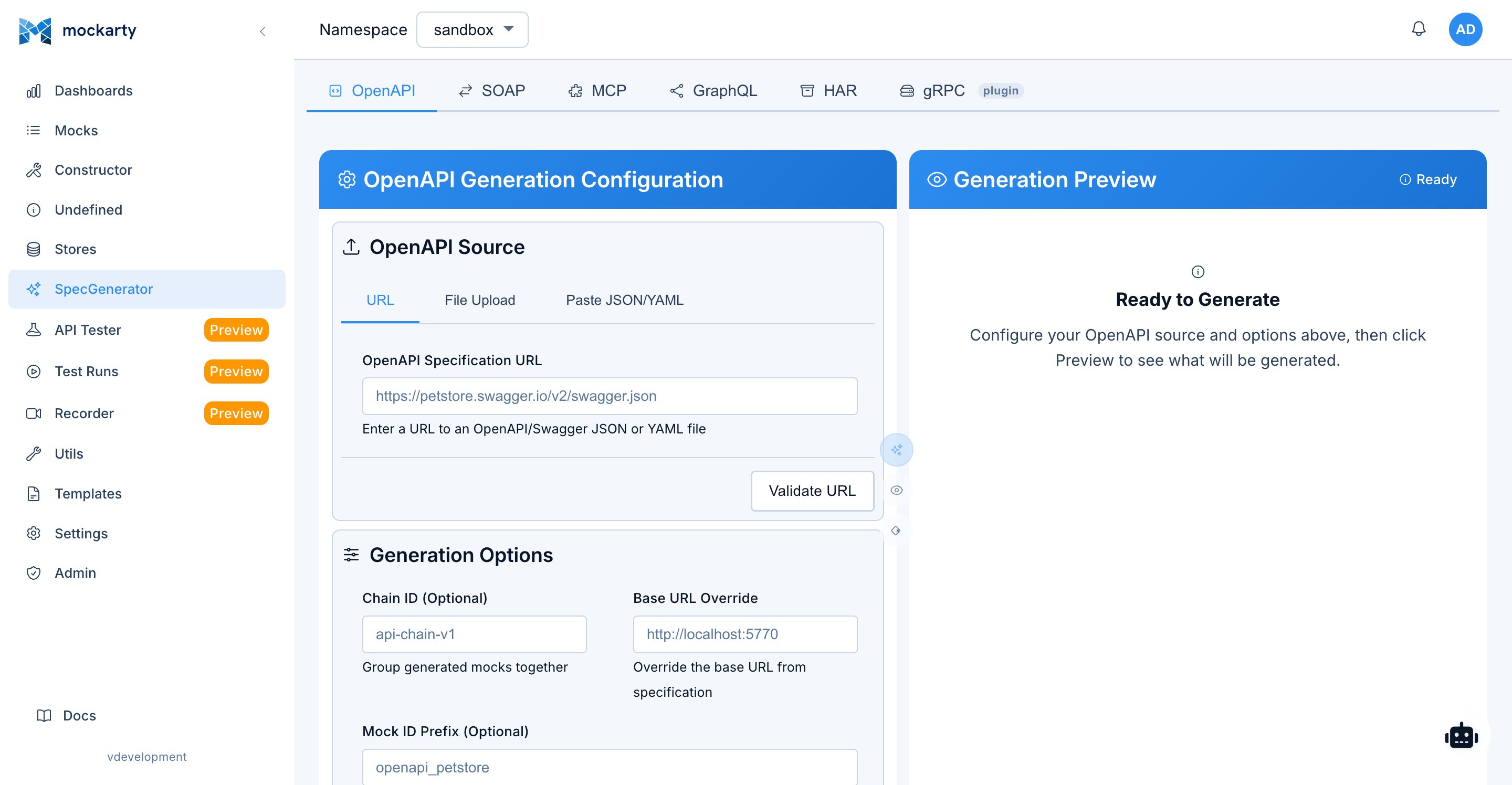
Generates HTTP REST mock servers from OpenAPI 2.0 (Swagger) or OpenAPI 3.x specifications.
Input Sources
- Local JSON or YAML file
- URL to a Swagger/OpenAPI spec (JSON or YAML)
Usage
In the admin UI, open Generator → OpenAPI and choose the specification source before previewing or generating mocks. Leaving the page keeps the form draft. A pending response from the page you left does not update the new page. Leaving does not undo a submitted generation request; if the connection is interrupted, check the mocks in the selected namespace before submitting again.
# From local file
mockarty-server-generator openapi \
  -input ./petstore.yaml \
  -output server.go \
  -package main \
  -http-admin-base-url http://localhost:5770 \
  -namespace sandbox

# From URL
mockarty-server-generator openapi \
  -input https://petstore3.swagger.io/api/v3/openapi.json \
  -output server.go \
  -package main

# Create mocks only (no server code)
mockarty-server-generator openapi \
  -input ./petstore.yaml \
  -create-mocks \
  -api-token mk_your_token \
  -namespace sandbox \
  -tags "petstore,v3"

# Generate server + create mocks with smart merge
mockarty-server-generator openapi \
  -input ./petstore.yaml \
  -output server.go \
  -package main \
  -create-mocks \
  -api-token mk_your_token \
  -namespace sandbox

# Force overwrite existing mocks
mockarty-server-generator openapi \
  -input ./petstore.yaml \
  -create-mocks \
  -api-token mk_your_token \
  -force-update

# With request body decomposition and header conditions
mockarty-server-generator openapi \
  -input ./petstore.yaml \
  -create-mocks \
  -api-token mk_your_token \
  -decompose-request-body \
  -use-headers-as-conditions
Advanced Options
-decompose-request-body— when the spec hasoneOf/anyOfrequest bodies, creates a separate mock per variant with appropriate conditions-use-headers-as-conditions— generates conditions from header parameters (e.g.,Authorization,X-Request-ID)-path-prefix— adds a prefix to all routes:namespace/path-prefix/original-route
Generated Server Features
- Embedded Swagger UI at
/swaggerwith the original OpenAPI spec - Admin UI at
/uiwith service overview - Health endpoint at
/health - All API paths mapped to mock resolution
gRPC Generator
Generates gRPC mock servers from .proto files. The generator parses proto files dynamically — you do not need to install protoc, protoc-gen-go, protoc-gen-go-grpc, or any other protobuf toolchain.
Proto File Requirements
Just give Mockarty your .proto files as-is. There is nothing special to add or change before uploading:
option go_packageis not required. If it is missing, Mockarty generates one for you from thepackagedeclaration and file path.- Prefix format does not matter. If
go_packageis present with any value ("/acme/svc","acme/svc","example.com/acme/svc;svc", etc.), Mockarty normalizes it internally. - Language-specific options are ignored.
java_package,php_namespace,csharp_namespace,swift_prefix,objc_class_prefix,ruby_packageand similar are stripped automatically — they don’t need to be removed from your files. - Imports are resolved from the uploaded directory structure. Keep your existing layout intact. Google well-known types (
google/protobuf/*) andvalidate/validate.protoare bundled and resolved automatically.
That’s it — no sed replacements, no manual prefixing, no plugin configuration.
Input Sources
- Directory containing
.protofiles (or a single.protofile) - gRPC reflection URL —
grpc://host:portorgrpc+reflection://host:port(mock creation only, server generation from reflection is not yet supported)
Usage
# From local proto directory
mockarty-server-generator grpc \
  -input ./proto/ \
  -output server.go \
  -package main \
  -http-admin-base-url http://localhost:5770 \
  -namespace sandbox

# With server name (important for mock matching in multi-instance setups)
mockarty-server-generator grpc \
  -input ./proto/ \
  -output server.go \
  -package main \
  -server-name my-grpc-service

# Create mocks only from proto files
mockarty-server-generator grpc \
  -input ./proto/ \
  -create-mocks \
  -api-token mk_your_token \
  -namespace sandbox \
  -server-name my-grpc-service

# Create mocks only from a running gRPC server via reflection
mockarty-server-generator grpc \
  -input grpc://localhost:50051 \
  -create-mocks \
  -api-token mk_your_token \
  -namespace sandbox \
  -server-name my-grpc-service
Features
- Parses
.protofiles directly — noprotoc, plugins, or external toolchain needed - Accepts proto files with or without
go_package; normalizes them automatically - Generates Go types inline from proto messages
- Handles Google well-known types:
Timestamp,Duration,Empty,Struct,Value, wrapper types - Bundles and resolves
validate/validate.protoimports automatically - gRPC reflection support for discovering services from a running server (mock creation mode)
- Admin UI at
/uiwith service/method browser and interactive Tester tab
Generated Server Ports
| Variable | Description | Default |
|---|---|---|
GRPC_PORT |
gRPC server port | 4770 |
GRPC_BIND_ADDR |
gRPC bind address | :4770 |
HTTP_PORT |
Admin UI HTTP port | 8080 |
ALLOW_UNKNOWN_FIELDS |
Accept unknown proto fields | false |
Limitations
- Full support for unary methods only
- Stream methods have basic support (no proxy/delay/error features)
- Server code generation from gRPC reflection is not yet supported (use
.protofiles for code generation; reflection works for mock creation only) - For a forwarded response, make sure the destination service is reachable from Mockarty
MCP Generator
Generates Model Context Protocol servers from multiple input sources.
Input Sources
- MCP server URL — connects to a running MCP server via introspection to discover its tools, and the prompts and resources it advertises
- MCP schema JSON — direct schema file with
tools,promptsandresources - Swagger/OpenAPI — converts REST endpoints to MCP tools
- JSON/YAML config — manual tool, prompt and resource definitions
The generated server lists every tool, prompt and resource, and answers tools/call, prompts/get and resources/read from the matching mocks in Mockarty. With -create-mocks the generator creates a mock for each of them, so a fresh server answers right away; edit the mocks to change what it returns.
Usage
# From running MCP server (introspection)
mockarty-server-generator mcp \
  -input http://localhost:8910/sse \
  -output server.go \
  -package main

# From JSON config
mockarty-server-generator mcp \
  -input mcp-server.json \
  -output server.go \
  -package main \
  -http-admin-base-url http://localhost:5770

# From Swagger spec (convert REST to MCP tools)
mockarty-server-generator mcp \
  -input http://localhost:5770/swagger/doc.json \
  -output server.go \
  -package main

# Create mocks only
mockarty-server-generator mcp \
  -input mcp-server.json \
  -create-mocks \
  -api-token mk_your_token \
  -namespace sandbox
Configuration Format
{
  "server": {
    "name": "example-mcp-server",
    "version": "1.0.0",
    "description": "Server description"
  },
  "tools": [
    {
      "name": "tool_name",
      "description": "Tool description",
      "inputSchema": {
        "type": "object",
        "properties": {
          "param1": {
            "type": "string",
            "description": "Parameter description"
          }
        },
        "required": ["param1"]
      }
    }
  ],
  "prompts": [
    {
      "name": "summarise",
      "description": "Summarise a text",
      "arguments": [{"name": "text", "description": "Text to summarise", "required": true}]
    }
  ],
  "resources": [
    {"uri": "file:///docs/readme", "name": "readme", "description": "Project readme", "mimeType": "text/markdown"}
  ],
  "config": {
    "httpAdminBaseUrl": "http://localhost:5770",
    "namespace": "sandbox",
    "transport": "sse"
  },
  "proxy": {
    "target": "http://localhost:5772/mcp"
  }
}
Transports
| Transport | Description | Default Port | Env Variable |
|---|---|---|---|
sse (default) |
Server-Sent Events — recommended for most MCP clients | 8910 |
MCP_SSE_PORT |
stdio |
Standard I/O — works via stdin/stdout | — | — |
A generated server serves sse or stdio. streamable-http is not among
them: the MCP library bundled into generated servers has no such transport, so
a server started with it logs that the transport is unavailable and serves only
its admin UI. Use sse — every current MCP client speaks it.
Generated Server Endpoints
- SSE stream:
http://localhost:8910/sse - Message endpoint:
http://localhost:8910/message - Admin UI:
http://localhost:8080/ui(MCP Tester) - Health:
http://localhost:8080/health
GraphQL Generator
Generates GraphQL mock servers from schema files, URLs (introspection), or JSON/YAML configs.
Input Sources
.graphql/.gqlfiles — local GraphQL schema files (SDL)- URL — connects to a running GraphQL endpoint and performs introspection
- Directory — scans for all
.graphql/.gqlfiles and combines them - JSON/YAML config — configuration with schema definition
Usage
# From GraphQL schema file
mockarty-server-generator graphql \
  -input ./schema.graphql \
  -output server.go \
  -package main \
  -http-admin-base-url http://localhost:5770 \
  -namespace sandbox

# From running GraphQL endpoint (introspection)
mockarty-server-generator graphql \
  -input http://localhost:4000/graphql \
  -output server.go \
  -package main

# From directory with multiple schema files
mockarty-server-generator graphql \
  -input ./schemas/ \
  -output server.go \
  -package main

# Create mocks only
mockarty-server-generator graphql \
  -input ./schema.graphql \
  -create-mocks \
  -api-token mk_your_token \
  -namespace sandbox \
  -tags "graphql,v1"
Features
- Batch mock creation with concurrent update optimization
- Smart merge, force update modes
- Supports queries and mutations
- Admin UI at
/uiwith GraphQL Playground (interactive explorer with autocomplete) - Schema introspection at
/graphql
Generated Server Ports
| Variable | Description | Default |
|---|---|---|
HTTP_PORT |
GraphQL + Admin UI HTTP port | 8080 |
SOAP Generator
Generates SOAP mock servers from WSDL definitions with optional XSD enrichment.
Input Sources
- WSDL file (local)
- WSDL URL
- Directory with WSDL/XSD files (auto-discovers XSD imports)
Usage
# From WSDL file
mockarty-server-generator soap \
  -input ./service.wsdl \
  -output server.go \
  -package main

# From WSDL URL
mockarty-server-generator soap \
  -input http://example.com/service?wsdl \
  -output server.go \
  -package main

# Create mocks only
mockarty-server-generator soap \
  -input ./service.wsdl \
  -create-mocks \
  -api-token mk_your_token \
  -namespace sandbox
Important: Dual-Port Architecture
SOAP generated servers use two separate HTTP ports because the SOAP endpoint uses a wildcard route (/*path) that conflicts with static routes:
| Port | Default | Description |
|---|---|---|
HTTP_PORT |
8080 |
SOAP endpoint (receives SOAP XML requests) |
ADMIN_PORT |
HTTP_PORT+1 (i.e. 8081) |
Admin UI and API |
Running
HTTP_PORT=8080 ADMIN_PORT=8081 ./soap_server
Features
- Parses WSDL 1.1 with XSD import resolution
- Embedded SOAP Tester UI at
/ui(on admin port) - Matches requests by SOAPAction header and path
- Health endpoint at
/health(on admin port)
Kafka Generator
Generates a Kafka adapter server that connects to a real Apache Kafka cluster, consumes messages from specified topics, and resolves mock responses via the Mockarty HTTP node. The generated server acts as a bridge between your Kafka infrastructure and Mockarty’s mock resolution engine.
Important: The Kafka generator requires a running Apache Kafka cluster. The generated server connects to it as a consumer — it does not replace or emulate a Kafka broker. Mocks for Kafka must be created manually through the Mockarty UI or API.
Provisioning a real Kafka cluster
For local development, the fastest options are:
-
Docker Compose — a one-line KRaft-mode Kafka container is enough:
# docker-compose.kafka.yml
services:
  kafka:
    image: bitnami/kafka:3.7
    ports:
      - "9092:9092"
    environment:
      KAFKA_CFG_NODE_ID: "1"
      KAFKA_CFG_PROCESS_ROLES: "broker,controller"
      KAFKA_CFG_LISTENERS: "PLAINTEXT://:9092,CONTROLLER://:9093"
      KAFKA_CFG_ADVERTISED_LISTENERS: "PLAINTEXT://localhost:9092"
      KAFKA_CFG_CONTROLLER_QUORUM_VOTERS: "1@localhost:9093"
      KAFKA_CFG_CONTROLLER_LISTENER_NAMES: "CONTROLLER"
      KAFKA_CFG_LISTENER_SECURITY_PROTOCOL_MAP: "CONTROLLER:PLAINTEXT,PLAINTEXT:PLAINTEXT"
      ALLOW_PLAINTEXT_LISTENER: "yes"
Run with
docker compose -f docker-compose.kafka.yml up -dand uselocalhost:9092in the generator config. -
Testcontainers — for CI suites, wrap the Kafka container in your test setup (see testcontainers-go Kafka module). The adapter receives the dynamically allocated address.
-
Existing dev cluster — point the generator at any reachable Kafka cluster; the generated server only needs network access plus topic ACLs for the consumer group it joins.
Configuration
{
  "server": {
    "name": "my-kafka-server",
    "version": "1.0.0"
  },
  "config": {
    "namespace": "sandbox",
    "brokers": ["localhost:9092"],
    "consumerGroup": "mockarty-consumer",
    "autoCommit": true,
    "commitInterval": 5,
    "cacheEnabled": false,
    "serverName": "my-kafka-server"
  },
  "topics": [
    {
      "name": "orders",
      "eventName": "order-created",
      "outputTopic": "order-results"
    },
    {
      "name": "payments",
      "eventName": "payment-processed"
    }
  ]
}
Configuration fields:
| Field | Description |
|---|---|
config.brokers |
List of Kafka broker addresses |
config.consumerGroup |
Consumer group ID for the generated server |
config.autoCommit |
Enable automatic offset commit |
config.commitInterval |
Auto-commit interval in seconds |
config.serverName |
Server name for mock routing (important!) |
topics[].name |
Kafka topic name to consume |
topics[].eventName |
Event name used in mock conditions |
topics[].outputTopic |
Optional topic for publishing response messages |
Usage
# Generate server
mockarty-server-generator kafka \
  -input kafka-server.json \
  -output kafka_server.go \
  -package main \
  -server-name my-kafka-server
Build and Run
# Build (offline, vendored)
go build -mod=vendor -o kafka_server .

# Run
HTTP_PORT=8080 \
HTTP_ADMIN_BASE_URL=http://localhost:5770 \
NAMESPACE=sandbox \
./kafka_server
Features
- Connects to a real Kafka cluster as a consumer (native Kafka client)
- Admin UI at
/uiwith dashboard and message viewer - Built-in producer for sending test messages
- Uses the Kafka mocks you create in Mockarty
RabbitMQ Generator
Generates a RabbitMQ adapter server that connects to a real RabbitMQ cluster, consumes messages from specified queues, and resolves mock responses via the Mockarty HTTP node.
Important: The RabbitMQ generator requires a running RabbitMQ instance. The generated server connects to it as a consumer — it does not replace or emulate a RabbitMQ broker. Mocks for RabbitMQ must be created manually through the Mockarty UI or API.
Provisioning a real RabbitMQ instance
For local development:
-
Docker Compose — single-node RabbitMQ with the management UI:
# docker-compose.rabbitmq.yml
services:
  rabbitmq:
    image: rabbitmq:3.13-management
    ports:
      - "5672:5672"   # AMQP
      - "15672:15672" # Management UI
    environment:
      RABBITMQ_DEFAULT_USER: guest
      RABBITMQ_DEFAULT_PASS: guest
Run with
docker compose -f docker-compose.rabbitmq.yml up -dand useamqp://guest:guest@localhost:5672/as the URL. -
Testcontainers — see testcontainers-go RabbitMQ module for ephemeral instances in CI.
-
Existing dev RabbitMQ — any reachable instance works; the adapter needs a user with permissions on the target vhost.
Configuration
{
  "server": {
    "name": "my-rabbitmq-server",
    "version": "1.0.0"
  },
  "config": {
    "namespace": "sandbox",
    "url": "amqp://guest:guest@localhost:5672/",
    "prefetchCount": 1,
    "cacheEnabled": false,
    "serverName": "my-rabbitmq-server"
  },
  "queues": [
    {
      "name": "orders-queue",
      "eventName": "order-received",
      "exchange": "orders",
      "routingKey": "orders.#"
    },
    {
      "name": "notifications-queue",
      "eventName": "notification-received"
    }
  ]
}
Configuration fields:
| Field | Description |
|---|---|
config.url |
AMQP connection URL |
config.prefetchCount |
QoS prefetch count per consumer |
config.serverName |
Server name for mock routing (important!) |
queues[].name |
Queue name to consume from |
queues[].eventName |
Event name used in mock conditions |
queues[].exchange |
Optional exchange to bind queue to |
queues[].routingKey |
Optional routing key for exchange binding |
The RABBITMQ_URL environment variable can override config.url at runtime. The management API URL is auto-derived (port 15672).
Usage
# Generate server
mockarty-server-generator rabbitmq \
  -input rabbitmq-server.json \
  -output rabbitmq_server.go \
  -package main \
  -server-name my-rabbitmq-server
Build and Run
# Build (offline, vendored)
go build -mod=vendor -o rabbitmq_server .

# Run
HTTP_PORT=8080 \
HTTP_ADMIN_BASE_URL=http://localhost:5770 \
NAMESPACE=sandbox \
RABBITMQ_URL=amqp://guest:guest@localhost:5672/ \
./rabbitmq_server
Features
- Connects to a real RabbitMQ instance as a consumer (AMQP 0.9.1)
- Admin UI at
/uiwith dashboard and message viewer - Built-in publisher for sending test messages
- Uses the RabbitMQ mocks you create in Mockarty
SSE Generator
Generates a Server-Sent Events adapter server from a JSON/YAML configuration. The generated server provides SSE endpoints that resolve mock responses via the Mockarty HTTP node.
Important: Mocks for SSE must be created manually through the Mockarty UI or API.
Configuration
{
  "server": {
    "name": "my-sse-server",
    "version": "1.0.0"
  },
  "config": {
    "namespace": "sandbox",
    "sseEndpoint": "/sse",
    "port": 8090,
    "cacheEnabled": false
  },
  "events": [
    {
      "name": "notifications",
      "path": "/events/notifications",
      "description": "User notification events"
    },
    {
      "name": "heartbeat",
      "path": "/events/heartbeat",
      "description": "Keepalive heartbeat"
    }
  ]
}
Usage
# Generate server
mockarty-server-generator sse \
  -input sse-server.json \
  -output sse_server.go \
  -package main

# With path prefix
mockarty-server-generator sse \
  -input sse-server.json \
  -output sse_server.go \
  -package main \
  -path-prefix "v1/streams"
Running
HTTP_PORT=8080 ./sse_server
Features
- SSE streams with
text/event-streamcontent type - Admin UI at
/uiwith SSE Viewer (real-time event stream monitor) - Path prefix support for route organization
- Mock resolution via
SSERequestContext(event path + event name)
Socket Generator
Generates WebSocket, TCP, and UDP adapter servers from a JSON/YAML configuration. Each socket type uses a different Go template for the generated code. The generated server resolves mock responses via the Mockarty HTTP node.
Important: Mocks for Socket must be created manually through the Mockarty UI or API.
WebSocket Configuration
{
  "server": {
    "name": "my-ws-server",
    "version": "1.0.0"
  },
  "config": {
    "httpAdminHost": "localhost",
    "httpAdminPort": "5770",
    "namespace": "sandbox",
    "socketType": "websocket",
    "socketPort": 8081,
    "messageFormat": "json",
    "readTimeout": 30,
    "writeTimeout": 30
  }
}
TCP / UDP Configuration
{
  "server": {
    "name": "my-tcp-server",
    "version": "1.0.0"
  },
  "config": {
    "httpAdminHost": "localhost",
    "httpAdminPort": "5770",
    "namespace": "sandbox",
    "socketType": "tcp",
    "socketPort": 8080,
    "messageFormat": "json",
    "readTimeout": 30,
    "writeTimeout": 30
  },
  "messageHandlers": [
    {
      "pattern": ".*",
      "handler": "generic"
    }
  ]
}
Replace "socketType": "tcp" with "socketType": "udp" for UDP servers.
Usage
# Generate WebSocket server
mockarty-server-generator socket \
  -input ws-server.json \
  -output socket_server.go \
  -package main \
  -server-name my-ws-server

# Generate TCP server
mockarty-server-generator socket \
  -input tcp-server.json \
  -output socket_server.go \
  -package main
Running
HTTP_PORT=8080 ./socket_server
Features
- WebSocket: Bidirectional communication with embedded WebSocket Console at
/ui - TCP: Raw TCP socket server
- UDP: Raw UDP socket server
- Mock resolution via
SocketRequestContextwithserverNameandeventName
SMTP Generator
Generates an SMTP adapter server from a JSON/YAML configuration that receives emails and resolves responses via the Mockarty HTTP node.
Important: Mocks for SMTP must be created manually through the Mockarty UI or API.
Configuration
{
  "server": {
    "name": "my-smtp-server",
    "version": "1.0.0"
  },
  "config": {
    "namespace": "sandbox",
    "smtpPort": 2525,
    "serverName": "my-smtp-server",
    "cacheEnabled": false
  }
}
Usage
# Generate server
mockarty-server-generator smtp \
  -input smtp-server.json \
  -output smtp_server.go \
  -package main \
  -server-name my-smtp-server
Build and Run
# Build (offline, vendored)
go build -mod=vendor -o smtp_server .

# Run
HTTP_PORT=8080 \
HTTP_ADMIN_BASE_URL=http://localhost:5770 \
NAMESPACE=sandbox \
./smtp_server
Features
- SMTP server accepting email messages
- Admin UI at
/uiwith message viewer - Uses the SMTP mocks you create in Mockarty
- Configurable SMTP port (default:
2525)
HAR Import
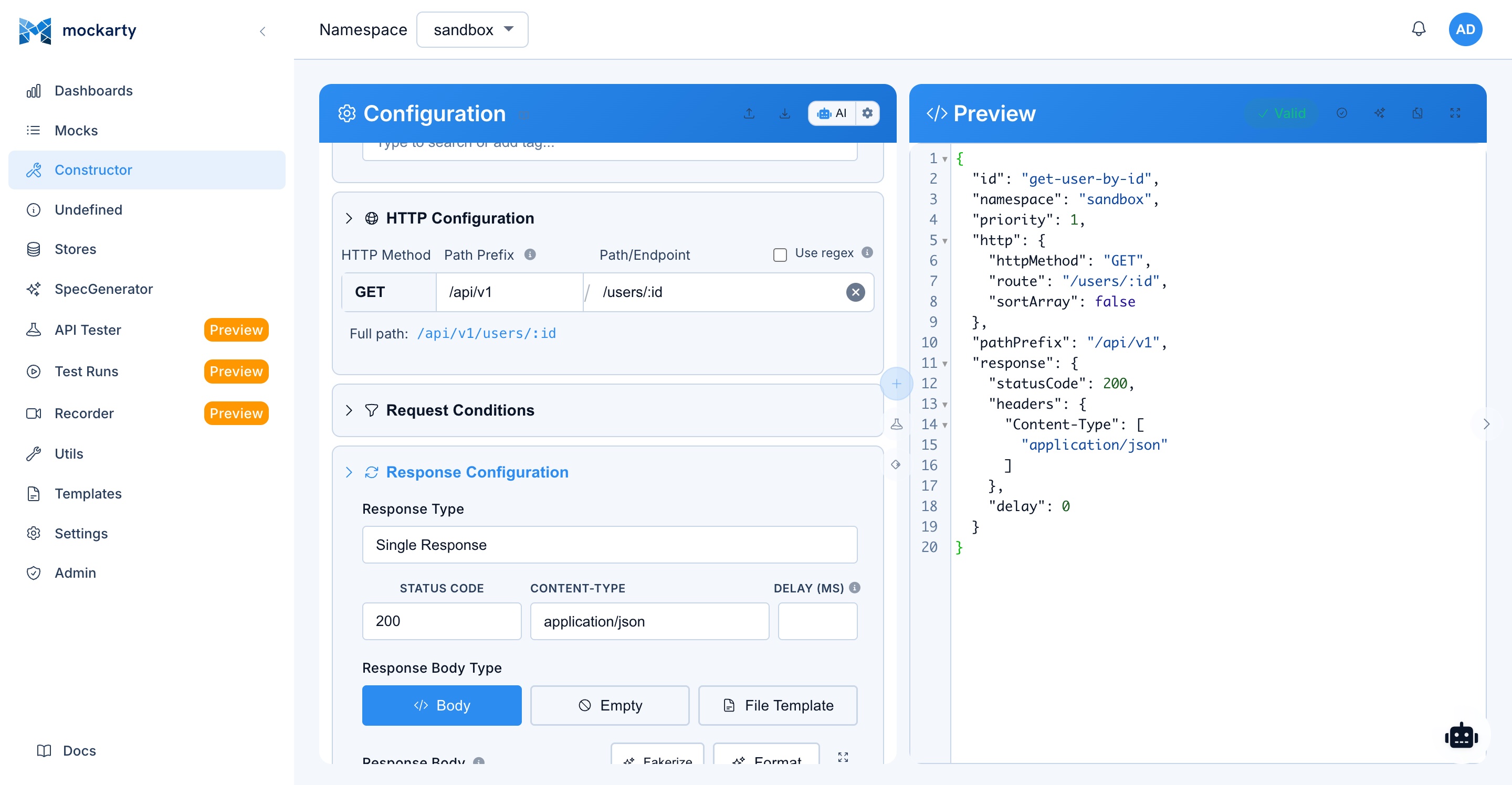
HAR (HTTP Archive) files can be imported to create mocks and API test collections. This feature is available through the Mockarty Web UI, not the server generator CLI.
Import via Web UI
- Open the API Tester page in Mockarty
- Click Import and select HAR
- Upload a HAR file or provide a URL
- Mockarty parses the HAR entries and creates:
- An API Tester collection with all requests
- Auto-generated test scripts for each request (status checks, content-type, headers, JSON structure validation)
- Static assets (CSS, JS, images, fonts) are automatically filtered out
Features
- URL replacement system rewrites base URLs to
/stubs/{namespace}/pathformat - Handles protocol-relative URLs, host-only URLs, query params, and fragments
- Replaces URLs in JSON values, HTML content, and headers
Smart Merge Strategy
The server generator implements intelligent mock update logic that is used by default when mocks already exist.
Default Behavior: Smart Merge
When you run the generator against a spec that already has mocks in Mockarty:
- Preserves user customizations (manually added response payloads, conditions, priorities)
- Updates the schema (adds new required fields, removes fields deleted from the spec)
- Supports rollback — if the spec reverts a change, the generator removes previously added fields
Force Update (-force-update)
Replaces everything from the spec. Use with caution — this discards all manual customizations.
Pruning removed endpoints (-prune-stale)
Smart merge updates and adds mocks, but by default it leaves a mock in place even when its endpoint disappears from the spec — so removing a path upstream does not remove the mock. Pass -prune-stale to also remove the generated mocks whose endpoints the new spec dropped:
mockarty-server-generator openapi \
  -input ./petstore.yaml \
  -create-mocks \
  -api-token mk_your_token \
  -namespace sandbox \
  -path-prefix petstore \
  -prune-stale
- Only mocks generated under the same
-path-prefixare considered — your manually created mocks are never touched. - Pruned mocks are soft-deleted to the Recycle Bin, so the action is reversible: restore them within the retention window.
- Pruning runs only on a full re-import together with smart merge or
-force-update. - The run summary reports the count:
Pruned (stale → recycle bin): N.
Use this to keep an auto-generated mock set exactly in sync with an evolving spec — when an endpoint is removed upstream, its mock goes to the Recycle Bin instead of lingering.
How Merge Works
Payload merge — recursively merges response objects and arrays:
- Adds new required fields from the spec
- Removes fields that are no longer in the spec
- Preserves user values for existing fields
Condition merge — intelligently merges request conditions:
- Preserves user-configured assertions
- Adds new fields from the spec as
anyconditions (allows any value) - Removes conditions for deleted fields
Example
Imagine you have an OpenAPI spec with a /users endpoint, and you’ve manually added a condition $.role == "admin" to the mock. When you re-run the generator with an updated spec:
- Smart merge (default): Your
role == "admin"condition is preserved. New fields from the spec are added asanyconditions. - Force update: Your condition is replaced with auto-generated ones from the spec.
Orchestrator Mode
The server generator includes an orchestrator mode — a web server with REST API for managing multiple generated servers. The orchestrator handles server generation, lifecycle management, health monitoring, and state persistence.
mockarty-server-generator orchestrator [flags]
Orchestrator Flags
| Flag | Default | Description |
|---|---|---|
-port |
8888 |
HTTP port for orchestrator |
-data-dir |
./orchestrator-data |
Directory for persistent state |
-log-level |
info |
Log level (debug, info, warn, error) |
-api-token |
— (required) | API token for Mockarty license validation |
-http-admin-base-url |
http://localhost:5770 |
Mockarty HTTP node URL |
-port-min |
9000 |
Minimum port for generated servers |
-port-max |
10000 |
Maximum port for generated servers |
Coordinator Integration Flags
For distributed deployments, the orchestrator can register with a Mockarty coordinator:
| Flag | Default | Description |
|---|---|---|
-coordinator-addr |
— | Mockarty coordinator gRPC address (host:port) |
-integration-token |
— | Integration token (mki_*) for coordinator auth |
-coordinator-tls |
false |
Enable TLS for coordinator connection |
-coordinator-tls-ca-cert |
— | CA cert file for coordinator TLS |
-dashboard-url |
auto-detected | Public URL of orchestrator dashboard |
Usage
# Basic orchestrator
mockarty-server-generator orchestrator \
  -api-token mk_your_token \
  -http-admin-base-url http://localhost:5770

# With custom port range and data directory
mockarty-server-generator orchestrator \
  -api-token mk_your_token \
  -port 7770 \
  -data-dir /var/lib/mockarty-orchestrator \
  -port-min 9000 \
  -port-max 9500

# With coordinator integration
mockarty-server-generator orchestrator \
  -api-token mk_your_token \
  -coordinator-addr coordinator.example.com:5773 \
  -integration-token mki_your_integration_token \
  -coordinator-tls
REST API
Server management:
| Method | Endpoint | Description |
|---|---|---|
GET |
/api/servers |
List all servers |
GET |
/api/servers/{id} |
Get server details |
POST |
/api/servers/generate |
Generate new server (async) |
DELETE |
/api/servers/{id} |
Delete server |
POST |
/api/servers/{id}/start |
Start server |
POST |
/api/servers/{id}/stop |
Stop server |
POST |
/api/servers/{id}/restart |
Restart server |
POST |
/api/servers/{id}/pause |
Pause server (keep state) |
POST |
/api/servers/{id}/resume |
Resume paused server |
POST |
/api/servers/{id}/rebuild |
Rebuild server binary |
GET |
/api/servers/{id}/metrics |
Get CPU, memory, uptime |
GET |
/api/servers/{id}/logs |
Get server output logs |
Batch operations:
| Method | Endpoint | Description |
|---|---|---|
POST |
/api/servers/batch/start |
Start multiple servers |
POST |
/api/servers/batch/stop |
Stop multiple servers |
DELETE |
/api/servers/batch |
Delete multiple servers |
Cache management:
| Method | Endpoint | Description |
|---|---|---|
POST |
/api/servers/{id}/cache/enable |
Enable caching |
POST |
/api/servers/{id}/cache/disable |
Disable caching |
GET |
/api/servers/{id}/cache/stats |
Cache statistics |
Other:
| Method | Endpoint | Description |
|---|---|---|
GET |
/api/jobs |
List generation jobs |
GET |
/api/jobs/{jobId} |
Get job status/progress |
GET |
/api/groups |
List server groups |
POST |
/api/groups/{name}/start |
Start all servers in group |
POST |
/api/groups/{name}/stop |
Stop all servers in group |
GET |
/api/ports/free |
Find available port |
POST |
/api/state/export |
Export entire state |
POST |
/api/state/import |
Import state |
GET |
/api/events |
SSE stream for real-time lifecycle events |
GET |
/health |
Health check + system stats |
Generation Request Example
curl -X POST http://localhost:8888/api/servers/generate \
  -H "Content-Type: application/json" \
  -d '{
    "type": "openapi",
    "name": "petstore-api",
    "input": "/path/to/petstore.yaml",
    "namespace": "sandbox",
    "group": "development",
    "createMocks": true,
    "apiToken": "mk_your_token",
    "tags": ["v3", "test"]
  }'
Response:
{
  "jobId": "abc123",
  "status": "pending"
}
Poll job status:
curl http://localhost:8888/api/jobs/abc123
{
  "jobId": "abc123",
  "status": "completed",
  "progress": 100,
  "serverId": "petstore-api-xyz"
}
Key Features
- Async generation — long-running builds don’t block; track progress via job ID
- Health monitoring — background health checks every 30 seconds
- Port management — auto-allocates ports from configurable range
- State persistence — saves/restores via JSON files in data directory
- Event bus — decoupled SSE broadcasts for real-time UI updates
- Server groups — organize servers by environment or purpose
- Cleanup — auto-removes orphaned binaries and stale servers
Experimental UI
The experimental UI mode wraps the orchestrator with a web-based management interface that includes session authentication.
mockarty-server-generator experimental-ui [flags]
Flags
Inherits the base orchestrator flags (-port, -data-dir, -log-level, -api-token, -http-admin-base-url, -port-min, -port-max), plus:
| Flag | Default | Description |
|---|---|---|
-username |
admin |
Login username for web UI |
-password |
admin |
Login password for web UI |
Usage
mockarty-server-generator experimental-ui \
  -api-token mk_your_token \
  -port 8888 \
  -username admin \
  -password my_secure_password \
  -http-admin-base-url http://localhost:5770
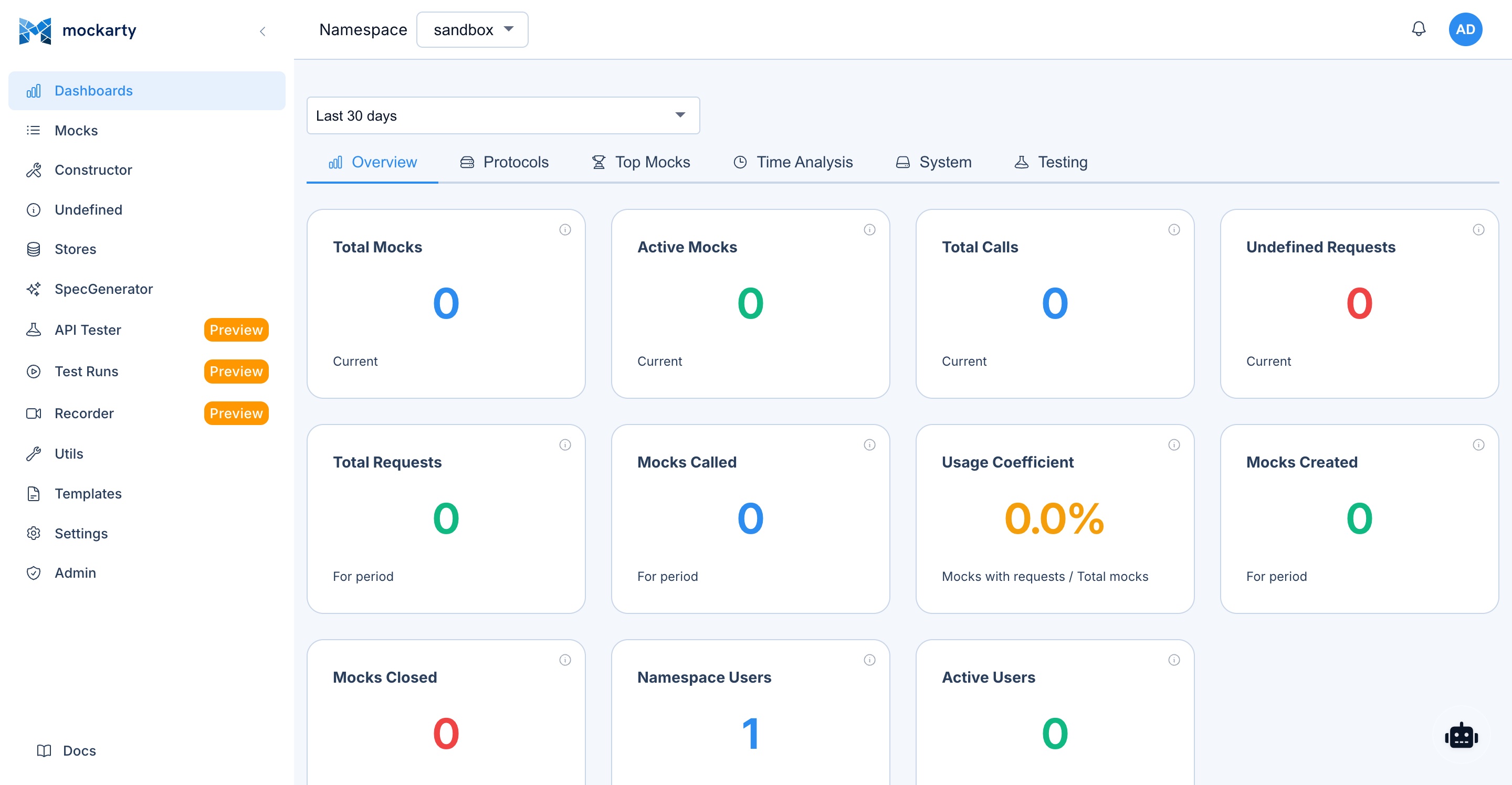
The web UI will be available at http://localhost:8888. After login, you can:
- Generate new servers from specs (file upload or URL)
- Start, stop, restart, and monitor servers
- View server logs and metrics
- Manage server groups
- Monitor real-time events
Note: The
experimental-uimode adds session-based authentication (login/logout) on top of the orchestrator functionality, while theorchestratormode exposes the API without authentication (designed for programmatic access or integration with an external auth layer). Theorchestratormode additionally supports coordinator integration flags for distributed deployments.
Generated Server Environment Variables
Read by Every Generated Server
| Variable | Description | Default |
|---|---|---|
HTTP_ADMIN_BASE_URL |
Mockarty HTTP node URL | http://localhost:5770 |
NAMESPACE |
Namespace for mock resolution | sandbox |
Only these two are honoured by all generated server variants. Everything below is
read by some of them — the Generators column says which. A variable set
on a server that does not read it has no effect and reports nothing, so check
the column rather than assuming.
Ports and Naming
| Variable | Generators | Description | Default |
|---|---|---|---|
HTTP_PORT |
all except TCP and UDP sockets | Admin UI + HTTP API port | 8080 |
SOCKET_PORT |
TCP, UDP, WebSocket sockets | Socket listen port | per generator |
SMTP_PORT |
SMTP | SMTP listen port (its HTTP_PORT serves the admin UI) |
1025 |
SERVER_PORT |
SSE | SSE listen port | 8080 |
SERVER_NAME |
Kafka, RabbitMQ, SMTP, TCP socket | Name shown in the server’s own UI and logs | generated name |
PATH_PREFIX |
GraphQL, MCP, OpenAPI, SOAP, SSE | Route prefix (if configured at generation time) | — |
PATH_PREFIX applies only where there are URL paths to prefix — a Kafka or
raw-socket server has none.
Caching
| Variable | Generators | Description | Default |
|---|---|---|---|
CACHE_PERF_ENABLE |
GraphQL, gRPC, Kafka, MCP, OpenAPI, RabbitMQ, SOAP, WebSocket, SSE | Enable high-performance caching | false |
CACHE_TTL_SECONDS |
same as above | Cache TTL | 300 |
CACHE_MAX_SIZE_MB |
same as above | Max cache size | 256 |
CACHE_ENABLED |
SMTP | SMTP’s own cache toggle — a different name from the one above | false |
The TCP and UDP socket servers have no response cache: there is no
request/response pair to key one on.
Protocol-Specific Variables
| Variable | Generators | Description | Default |
|---|---|---|---|
GRPC_PORT |
gRPC | gRPC server port | 4770 |
GRPC_BIND_ADDR |
gRPC | gRPC bind address | :4770 |
ALLOW_UNKNOWN_FIELDS |
gRPC | Accept unknown proto fields | false |
MCP_SSE_PORT |
MCP | SSE transport port | 8910 |
MCP_SSE_BASE_URL |
MCP | Base URL advertised to SSE clients | derived from the port |
MCP_TRANSPORT |
MCP | Transport type: sse or stdio |
sse |
KAFKA_BROKERS |
Kafka | Broker list the adapter connects to | localhost:9092 |
RABBITMQ_URL |
RabbitMQ | AMQP connection URL | amqp://guest:guest@localhost:5672/ |
RABBITMQ_MANAGEMENT_URL |
RabbitMQ | Management API URL used by the built-in UI | http://localhost:15672 |
ADMIN_PORT |
MCP, SOAP | Admin UI port (separate from the protocol endpoint) | HTTP_PORT+1 |
Generated Server UI and Caching
Generated HTTP servers include a web interface and cache controls. TCP and UDP socket servers expose only their socket listeners. The cache is optional and starts disabled; SMTP uses its own cache setting.
Embedded Web UI
The following generated servers have an admin UI at /ui (OpenAPI also serves Swagger UI at /swagger):
| Protocol | UI Location | UI Name | Features |
|---|---|---|---|
| OpenAPI | /swagger or /ui |
Swagger UI | Original spec viewer, interactive API tester with “Try it out” |
| gRPC | /ui |
gRPC Server | Service/method selector, request field editor, Tester tab for sending requests |
| MCP | /ui |
MCP Server | Tool list, parameter editor, Tester tab for calling tools |
| GraphQL | /ui |
GraphQL Playground | Interactive GraphQL explorer with autocomplete, query history |
| SOAP | /ui (admin port) |
SOAP Tester | Operation selector, XML editor, request/response viewer |
| Kafka | /ui |
Kafka Adapter | Dashboard, message viewer, test producer |
| RabbitMQ | /ui |
RabbitMQ Adapter | Dashboard, message viewer, test publisher |
| SSE | /ui |
SSE Viewer | Subscribe to event streams, view events in real time |
| WebSocket | /ui |
WebSocket Console | Connect, send/receive messages, view message history |
| SMTP | /ui |
SMTP Server | Received emails viewer, message details |
HTTP endpoints by server type
TCP and UDP socket servers do not expose these HTTP endpoints. SMTP has its own cache controls but does not expose /api/logs or /api/logs/clear.
| Endpoint | Method | Description |
|---|---|---|
/health |
GET | Health check (response fields vary by protocol; SMTP returns {"status":"ok", ...}) |
/ui |
GET | Admin UI (protocol-specific) |
/api/logs |
GET | Request/response logs (except SMTP) |
/api/logs/clear |
POST | Clear request logs (except SMTP) |
/cache/stats |
GET | Cache statistics (hits, misses, size) |
/cache/enable |
POST | Enable response caching |
/cache/disable |
POST | Disable response caching |
/cache/clear |
POST | Clear all cached responses |
High-Performance Caching for Load Testing
The protocols listed under CACHE_PERF_ENABLE above support an optional in-memory response cache. When enabled, a matching cached response can be returned without calling the Mockarty node. SMTP has a separate cache option; TCP and UDP sockets have none.
This is designed for load/performance testing scenarios where you need the generated server to handle thousands of requests per second without overloading the Mockarty admin node.
Enable at generation time:
mockarty-server-generator openapi \
  -input ./api.yaml \
  -output server.go \
  -package main \
  -cache-perf-enable
Or enable at runtime via API:
# Enable caching on a running server
curl -X POST http://localhost:8080/cache/enable

# Check cache stats
curl http://localhost:8080/cache/stats

# Clear cache (e.g., after mock changes)
curl -X POST http://localhost:8080/cache/clear

# Disable caching
curl -X POST http://localhost:8080/cache/disable
Environment variables for cache tuning:
| Variable | Default | Description |
|---|---|---|
CACHE_PERF_ENABLE |
false |
Enable high-performance cache at startup |
CACHE_TTL_SECONDS |
300 |
Time-to-live for cached responses (5 minutes) |
CACHE_MAX_SIZE_MB |
256 |
Maximum cache size in memory |
Typical load testing workflow:
- Generate server and create mocks as usual
- Configure your desired mock responses in Mockarty UI
- Enable caching:
curl -X POST http://server:8080/cache/enable - Run your load test (k6, JMeter, wrk, etc.) against the generated server
- Matching cached responses are returned without another call to the Mockarty node
- After testing, disable caching:
curl -X POST http://server:8080/cache/disable
Output Structure & Offline Build
What Gets Generated
When you run the generator with -output and -package, it creates a complete Go project:
petstore-server/
├── server.go              # Generated server code
├── go.mod                 # Go module definition
├── go.sum                 # Dependency checksums
├── vendor/                # ALL dependencies vendored (no internet needed!)
├── assets/                # Swagger UI / GraphQL Playground JS, CSS
└── webfonts/              # Font Awesome icons
Building & Running
Generated servers include vendored dependencies, so they can be built completely offline:
cd petstore-server

# Build (no internet required!)
go build -mod=vendor -o server .

# Run
HTTP_PORT=8080 \
HTTP_ADMIN_BASE_URL=http://localhost:5770 \
NAMESPACE=sandbox \
./server
Vendored Dependencies
The server generator binary embeds all dependencies and UI assets (Swagger UI, GraphQL Playground, Font Awesome), and module files. This means:
- No
go mod downloadneeded after generation - Works in air-gapped environments
- Consistent builds regardless of network access
Docker Build
Containerizing the Generator (Recommended First Step)
The simplest approach: run the generator inside Docker with volume mounts. You pass in your spec file and get a ready-to-run binary or a complete Go project on the host.
Dockerfile for the generator tool:
FROM golang:1.26-alpine
RUN apk add --no-cache git ca-certificates
COPY mockarty-server-generator /usr/local/bin/
ENTRYPOINT ["mockarty-server-generator"]
# Build the generator image (once)
docker build -t mockarty-generator:latest -f Dockerfile.generator .

# Generate + build a server in one step
# Input: ./api/openapi.yaml on the host
# Output: ./output/ directory with the built binary
docker run --rm \
  -v $(pwd)/api:/specs:ro \
  -v $(pwd)/output:/output \
  mockarty-generator:latest openapi \
    -input /specs/openapi.yaml \
    -output /output/server.go \
    -package main

# Now build the binary (Go is inside the container)
docker run --rm \
  -v $(pwd)/output:/app \
  -w /app \
  golang:1.26-alpine \
  go build -mod=vendor -o server .

# The binary is now at ./output/server — run it directly
HTTP_ADMIN_BASE_URL=http://localhost:5770 ./output/server
All-in-one: generate + build + get binary:
docker run --rm \
  -v $(pwd)/api:/specs:ro \
  -v $(pwd)/output:/output \
  mockarty-generator:latest sh -c '\
    mockarty-server-generator openapi \
      -input /specs/openapi.yaml \
      -output /tmp/server/server.go \
      -package main && \
    cd /tmp/server && \
    go build -mod=vendor -o /output/server .'
After this, ./output/server is a static Linux binary you can run anywhere (or copy into a minimal Docker image).
Generate + create mocks in Mockarty simultaneously:
docker run --rm \
  -v $(pwd)/proto:/specs:ro \
  -v $(pwd)/output:/output \
  --network host \
  mockarty-generator:latest grpc \
    -input /specs/ \
    -output /output/server.go \
    -package main \
    -create-mocks \
    -api-token mk_your_token \
    -http-admin-base-url http://localhost:5770 \
    -namespace sandbox \
    -server-name my-grpc-service
Tip: Use
--network hostso the container can reach the Mockarty admin node on localhost. In Docker Compose, use the service name instead (e.g.,http://mockarty:5770).
Containerizing the Generated Server
Once you have a generated Go project, containerize it with a multi-stage Dockerfile:
Create a Dockerfile in the generated server directory:
# Stage 1: Build
FROM golang:1.26-alpine AS builder
WORKDIR /app
COPY . .
RUN go build -mod=vendor -o server .

# Stage 2: Run
FROM alpine:3.20
RUN apk add --no-cache ca-certificates
COPY --from=builder /app/server /usr/local/bin/server
EXPOSE 8080
ENV HTTP_PORT=8080
ENV HTTP_ADMIN_BASE_URL=http://mockarty:5770
ENV NAMESPACE=sandbox
ENTRYPOINT ["server"]
Build and Run
# Build the image
docker build -t my-mock-server:latest ./petstore-server/

# Run
docker run -d \
  --name petstore-mock \
  -p 8080:8080 \
  -e HTTP_ADMIN_BASE_URL=http://mockarty-admin:5770 \
  -e NAMESPACE=sandbox \
  my-mock-server:latest
gRPC Server Dockerfile
For gRPC servers, expose both the HTTP admin and gRPC ports:
FROM golang:1.26-alpine AS builder
WORKDIR /app
COPY . .
RUN go build -mod=vendor -o server .

FROM alpine:3.20
RUN apk add --no-cache ca-certificates
COPY --from=builder /app/server /usr/local/bin/server
EXPOSE 8080 4770
ENV HTTP_PORT=8080
ENV GRPC_PORT=4770
ENV HTTP_ADMIN_BASE_URL=http://mockarty:5770
ENV NAMESPACE=sandbox
ENTRYPOINT ["server"]
docker run -d \
  -p 8080:8080 \
  -p 4770:4770 \
  -e HTTP_ADMIN_BASE_URL=http://mockarty-admin:5770 \
  my-grpc-server:latest
SOAP Server Dockerfile
SOAP servers use two ports (SOAP endpoint + admin UI):
FROM golang:1.26-alpine AS builder
WORKDIR /app
COPY . .
RUN go build -mod=vendor -o server .

FROM alpine:3.20
RUN apk add --no-cache ca-certificates
COPY --from=builder /app/server /usr/local/bin/server
EXPOSE 8080 8081
ENV HTTP_PORT=8080
ENV ADMIN_PORT=8081
ENV HTTP_ADMIN_BASE_URL=http://mockarty:5770
ENTRYPOINT ["server"]
Docker Compose: Generated Server + Mockarty
version: "3.8"
services:
  postgres:
    image: postgres:17-alpine
    environment:
      POSTGRES_DB: mockarty
      POSTGRES_USER: postgres
      POSTGRES_PASSWORD: postgres
    volumes:
      - pgdata:/var/lib/postgresql/data

  mockarty:
    image: mockarty/mockarty:latest
    ports:
      - "5770:5770"
    environment:
      DB_DSN: "postgresql://postgres:postgres@postgres:5432/mockarty?sslmode=disable"
    depends_on:
      - postgres

  petstore-mock:
    build: ./petstore-server
    ports:
      - "8080:8080"
    environment:
      HTTP_PORT: "8080"
      HTTP_ADMIN_BASE_URL: "http://mockarty:5770"
      NAMESPACE: "sandbox"
    depends_on:
      - mockarty

volumes:
  pgdata:
# Start everything
docker compose up -d

# Import mocks (first time only)
./mockarty-server-generator openapi \
  -input ./api/openapi.yaml \
  -create-mocks \
  -api-token mk_your_token \
  -namespace sandbox

# Test
curl http://localhost:8080/pet/1
One-Step CI Build (without Go locally)
If you don’t have Go installed locally, build inside Docker:
# Generate code (no Go needed for this step)
./mockarty-server-generator openapi \
  -input ./api/openapi.yaml \
  -output ./server/server.go \
  -package main

# Build inside Docker (Go is in the builder stage)
docker build -t my-server:latest ./server/
CI/CD Pipeline Examples
GitHub Actions
name: Deploy Mock Server

on:
  push:
    branches: [main]
    paths: ['api/**']

jobs:
  deploy-mocks:
    runs-on: ubuntu-latest
    steps:
      - uses: actions/checkout@v4

      - name: Download Server Generator
        run: |
          curl -L -o mockarty-server-generator \
            https://releases.mockarty.ru/latest/linux-amd64/mockarty-server-generator
          chmod +x mockarty-server-generator

      - name: Generate server + create mocks
        run: |
          ./mockarty-server-generator openapi \
            -input ./api/openapi.yaml \
            -output ./mock-server/server.go \
            -package main \
            -create-mocks \
            -api-token ${{ secrets.MOCKARTY_API_TOKEN }} \
            -http-admin-base-url ${{ vars.MOCKARTY_URL }} \
            -namespace ${{ github.ref_name }} \
            -tags "ci,commit-${{ github.sha }}"

      - name: Build Docker image
        run: |
          cat > mock-server/Dockerfile << 'DOCKERFILE'
          FROM golang:1.26-alpine AS builder
          WORKDIR /app
          COPY . .
          RUN go build -mod=vendor -o server .
          FROM alpine:3.20
          RUN apk add --no-cache ca-certificates
          COPY --from=builder /app/server /usr/local/bin/server
          EXPOSE 8080
          ENTRYPOINT ["server"]
          DOCKERFILE
          docker build -t mock-server:${{ github.sha }} ./mock-server/

      - name: Push to registry
        run: |
          docker tag mock-server:${{ github.sha }} registry.example.com/mock-server:latest
          docker push registry.example.com/mock-server:latest
GitLab CI
stages:
  - generate
  - build
  - deploy

generate-mocks:
  stage: generate
  image: golang:1.26-alpine
  script:
    - wget -O /usr/local/bin/mockarty-server-generator https://releases.mockarty.ru/latest/linux-amd64/mockarty-server-generator
    - chmod +x /usr/local/bin/mockarty-server-generator
    - mockarty-server-generator openapi
        -input ./api/openapi.yaml
        -output ./generated-server/server.go
        -package main
        -create-mocks
        -api-token $MOCKARTY_TOKEN
        -http-admin-base-url $MOCKARTY_URL
        -namespace $CI_COMMIT_REF_SLUG
  artifacts:
    paths:
      - generated-server/

build-image:
  stage: build
  image: docker:latest
  services:
    - docker:dind
  script:
    - cd generated-server
    - |
      cat > Dockerfile << 'EOF'
      FROM golang:1.26-alpine AS builder
      WORKDIR /app
      COPY . .
      RUN go build -mod=vendor -o server .
      FROM alpine:3.20
      RUN apk add --no-cache ca-certificates
      COPY --from=builder /app/server /usr/local/bin/server
      EXPOSE 8080
      ENTRYPOINT ["server"]
      EOF
    - docker build -t $CI_REGISTRY_IMAGE/mock-server:$CI_COMMIT_SHORT_SHA .
    - docker push $CI_REGISTRY_IMAGE/mock-server:$CI_COMMIT_SHORT_SHA

deploy:
  stage: deploy
  script:
    - kubectl set image deployment/mock-server mock-server=$CI_REGISTRY_IMAGE/mock-server:$CI_COMMIT_SHORT_SHA
API-First Workflow in CI
Use the generator to keep mocks in sync with your API spec on every PR:
# 1. Spec changes trigger CI
# 2. Generator updates mocks (smart merge preserves customizations)
./mockarty-server-generator openapi \
  -input ./api/openapi.yaml \
  -create-mocks \
  -api-token $MOCKARTY_TOKEN \
  -namespace $BRANCH_NAME \
  -tags "pr-$PR_NUMBER"

# 3. Frontend team tests against updated mocks immediately
# 4. No code changes needed — mocks update automatically from spec
Mock Examples
These examples show how to manually create mocks via the Mockarty API for use with generated servers. For spec-based generators (OpenAPI, gRPC, MCP, GraphQL, SOAP), mocks can also be auto-created using the -create-mocks flag. For config-based adapters (Kafka, RabbitMQ, SSE, Socket, SMTP), mocks must always be created manually.
MCP Mock
{
  "id": "mcp-tool-mock",
  "namespace": "sandbox",
  "mcp": {
    "serverName": "example-mcp-server",
    "method": "tool_name",
    "conditions": [
      {
        "path": "$.param1",
        "assertAction": "equals",
        "value": "test"
      }
    ]
  },
  "response": {
    "statusCode": 200,
    "payload": {
      "result": "success"
    }
  }
}
gRPC Mock
{
  "id": "grpc-method-mock",
  "namespace": "sandbox",
  "grpc": {
    "service": "UserService",
    "method": "GetUser",
    "conditions": [
      {
        "path": "$.id",
        "assertAction": "equals",
        "value": "123"
      }
    ]
  },
  "response": {
    "statusCode": 0,
    "payload": {
      "id": "123",
      "name": "John Doe"
    }
  }
}
GraphQL Mock
{
  "id": "graphql-query-mock",
  "namespace": "sandbox",
  "graphql": {
    "operation": "query",
    "field": "GetUser"
  },
  "response": {
    "statusCode": 200,
    "payload": {
      "data": {
        "user": {
          "id": "1",
          "name": "$.fake.Name",
          "email": "$.fake.Email"
        }
      }
    }
  }
}
Kafka Mock
{
  "id": "kafka-orders-mock",
  "namespace": "sandbox",
  "kafka": {
    "topic": "orders",
    "serverName": "my-kafka-server"
  },
  "response": {
    "statusCode": 200,
    "payload": {
      "orderId": "$.fake.UUID",
      "status": "processed"
    }
  }
}
SOAP Mock
{
  "id": "soap-getuser-mock",
  "namespace": "sandbox",
  "soap": {
    "soapAction": "GetUser",
    "path": "/ws/users"
  },
  "response": {
    "statusCode": 200,
    "payload": "<GetUserResponse><Name>John</Name></GetUserResponse>"
  }
}
RabbitMQ Mock
{
  "id": "rabbitmq-orders-mock",
  "namespace": "sandbox",
  "rabbitmq": {
    "queue": "orders.queue",
    "exchange": "orders.exchange",
    "serverName": "my-rabbitmq-server"
  },
  "response": {
    "statusCode": 200,
    "payload": {
      "orderId": "$.fake.UUID",
      "status": "received"
    }
  }
}
SSE Mock
{
  "id": "sse-events-mock",
  "namespace": "sandbox",
  "sse": {
    "path": "/events",
    "eventName": "notification"
  },
  "response": {
    "statusCode": 200,
    "payload": {
      "type": "alert",
      "message": "$.fake.Sentence"
    }
  }
}
Socket (WebSocket) Mock
{
  "id": "ws-message-mock",
  "namespace": "sandbox",
  "socket": {
    "serverName": "my-ws-server",
    "eventName": "message"
  },
  "response": {
    "statusCode": 200,
    "payload": {
      "echo": "$.req.data",
      "timestamp": "$.fake.UnixTime"
    }
  }
}
Limitations
General
- Mockarty HTTP node required — generated servers cannot work without a running Mockarty instance (admin or resolver node)
- Namespace isolation — all mocks must be in the specified namespace
- Network accessibility — Mockarty HTTP node must be reachable from the machine running the generated server
- License validation —
-create-mocksmode and orchestrator/experimental-ui require a valid license withmockfeature
Protocol-Specific
| Protocol | Limitation |
|---|---|
| gRPC | Stream methods: basic support only (no proxy/delay/error) |
| gRPC | protoc is NOT required — parsed automatically |
| gRPC | Server code generation from gRPC reflection is not yet supported — use .proto files; reflection works for mock creation only (-create-mocks) |
| MCP | Tools must be defined in config, schema, or discovered via introspection |
| SOAP | XSD enrichment requires all referenced XSD files to be accessible |
| SOAP | Uses dual-port architecture (SOAP port + admin port) |
| GraphQL | Introspection must be enabled on the target server for URL-based input |
| Kafka | Adapter only — requires a running Kafka cluster; auto mock creation (-create-mocks) is not supported |
| RabbitMQ | Adapter only — requires a running RabbitMQ instance; auto mock creation (-create-mocks) is not supported |
| SSE | Adapter only — auto mock creation (-create-mocks) is not supported |
| Socket | Adapter only — auto mock creation (-create-mocks) is not supported; TCP/UDP servers do not have an embedded UI (WebSocket only) |
| SMTP | Adapter only — auto mock creation (-create-mocks) is not supported; advanced features like TLS/AUTH are not supported |
Mockarty Server Generator — unified code generation for 8 protocols and 2 message brokers from a single binary.
See Also
- Integrations Guide — Set up resolver nodes, runner agents, and the API-first workflow
- Installation & Deployment — Docker Compose examples with generated servers
- Faker Reference — All Faker functions available in mock responses
- JsonPath Guide — Request data extraction and response interpolation
- API Reference — REST API for programmatic mock management